You can also manage team permissions for customers on the Admin Panel.
Team administrators can easily manage the permissions of other team members from the Teams section of the Members Portal. They can enable and disable permissions in just a few clicks.
Enabling Team Permissions
Team administrators can enable permissions for specific team members in just a few clicks.
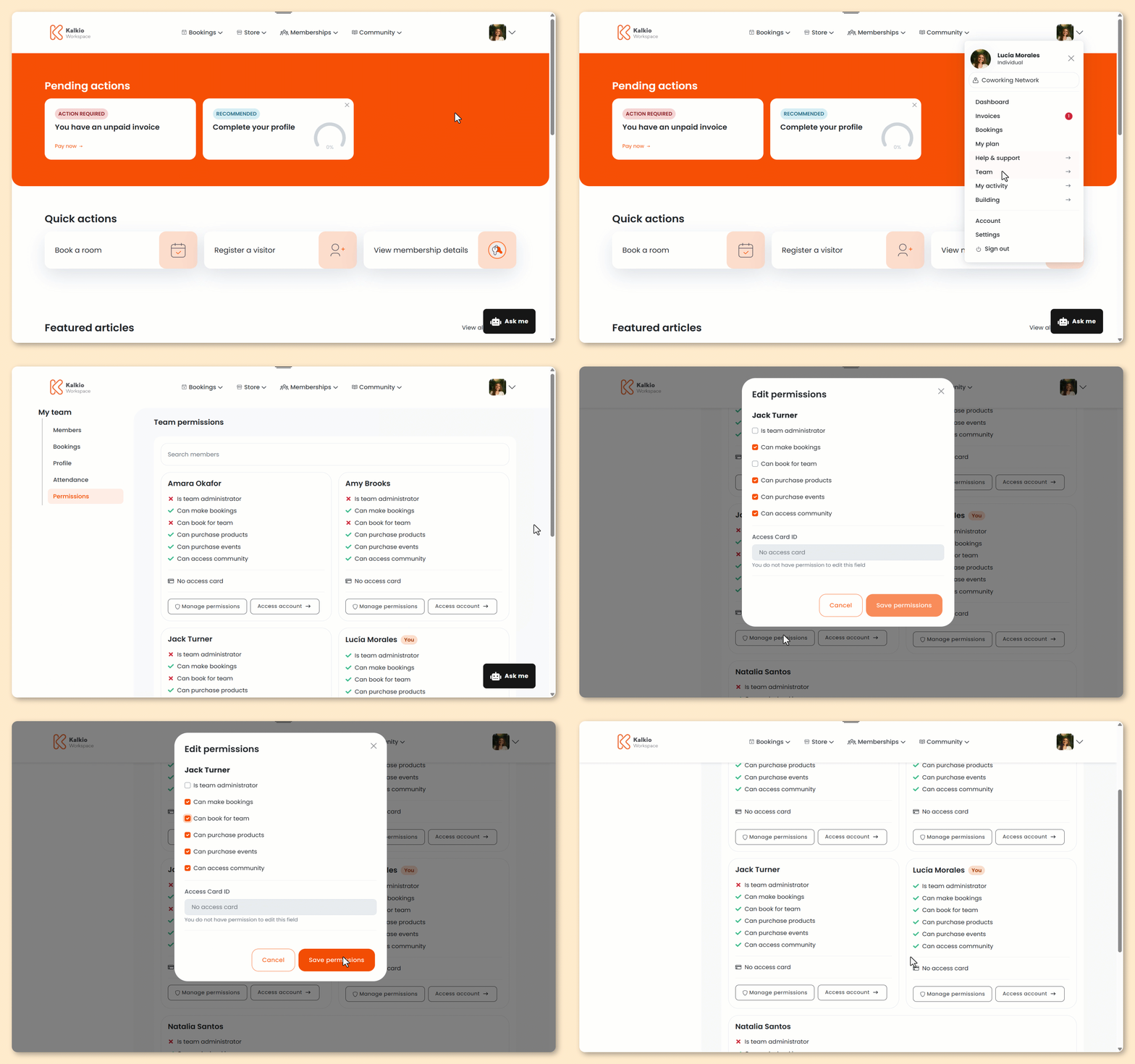
Log in to the Members Portal if you haven't already.
- Click on your icon.
- Click Team.
- Click Permissions.
- Click Manage permissions for the relevant team member.
- Select the permissions you'd like to enable for this team member.
Not sure which permissions you want to enable?
Check out Team Permissions.
- Click Save permissions.
All set! Your settings have been saved.
Disabling Team Permissions
Team administrators can disable permissions for specific team members in just a few clicks.
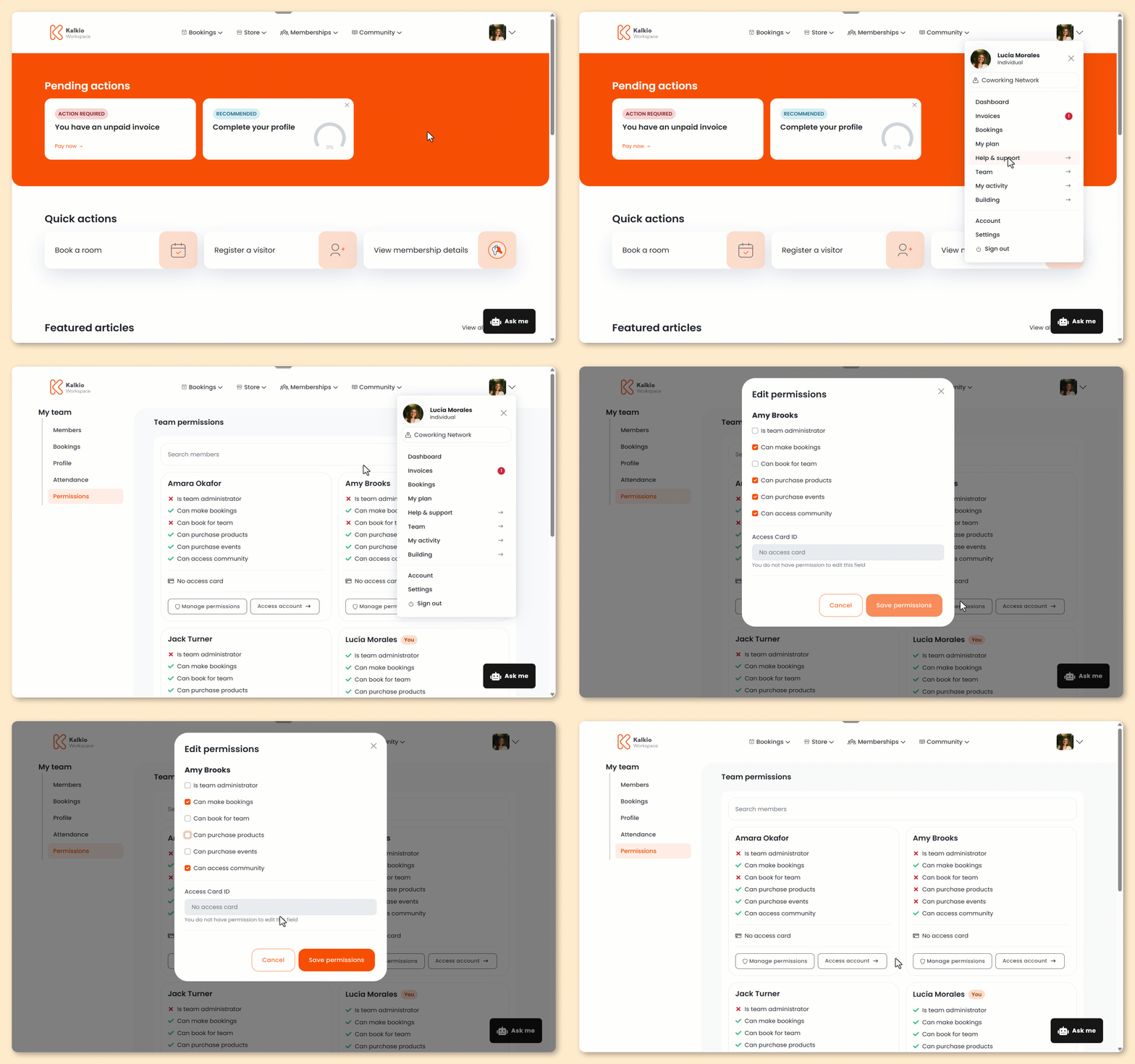
Log in to the Members Portal if you haven't already.
- Click on your icon.
- Click Team.
- Click Permissions.
- Click Manage permissions for the relevant team member.
- Select the permissions you'd like to disable for this team member.
- Click Save permissions.
All set! Your settings have been saved.
Team Permissions
Team administrators can define the following permissions for each team member.
| Permission | Details |
|---|---|
| Is team administrator | Gives team members access to all team details. Team administrators can manage permissions, manage team attendance, edit the team's public profile, and access the account of any team member. |
| Can make bookings | Allows team members to make bookings for themselves. |
| Can book for team | Allows team members to make bookings for other team members. |
| Can purchase products | Allows team members to purchase products. |
| Can purchase events | Allows team members to purchase event tickets. |
| Can access community | Allows team members to access the discussion board section of the Members Portal. |