Passport Version 5 will begin a phased release mid-August 2026.
Customers can easily pay their invoices with the Passport app.
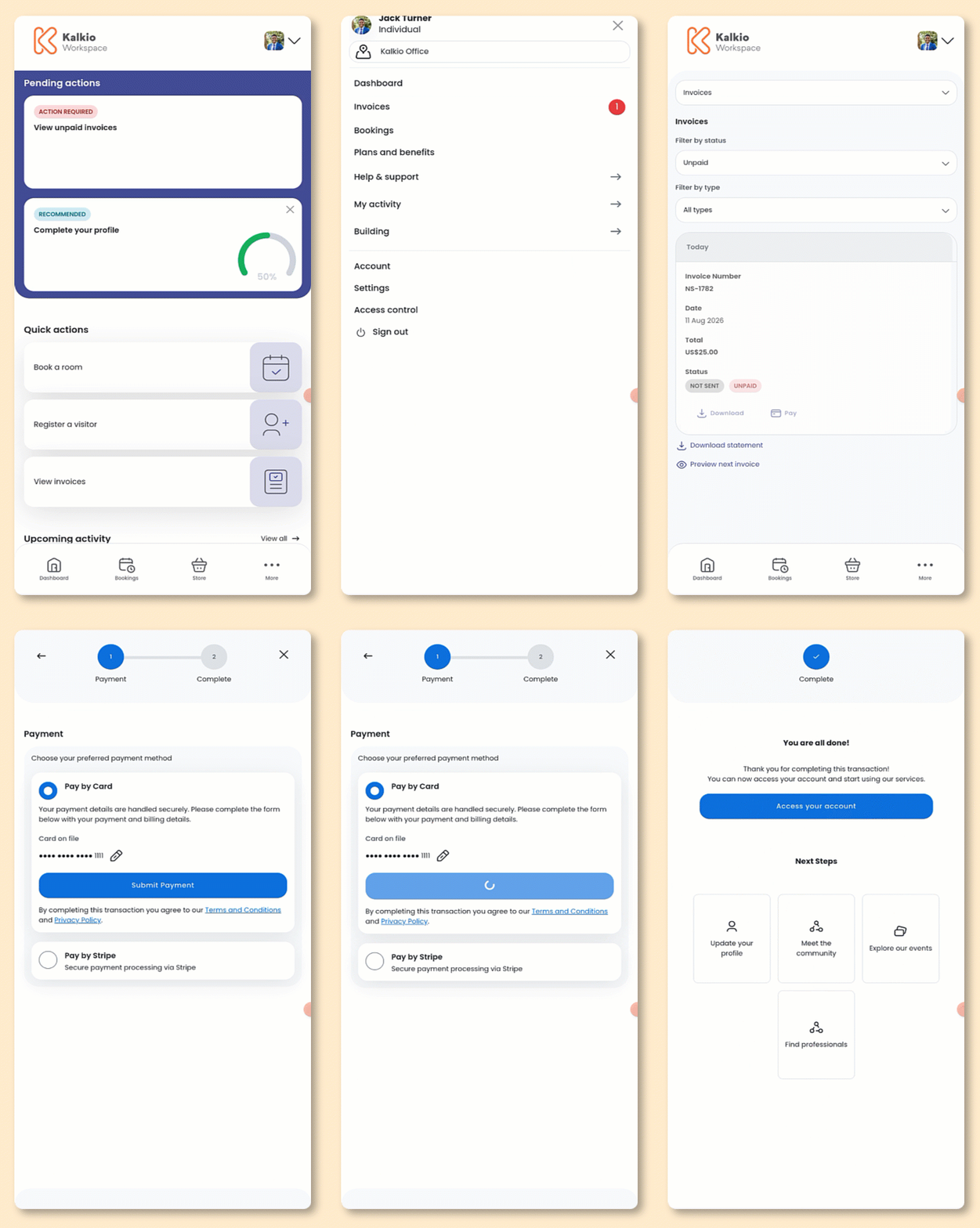
Open the Passport app if you haven't already.
Tap your icon to open the drop-down menu.
- Tap Invoices.
You can filter invoices by Unpaid.
- Tap Pay next to the invoice you'd like to pay.
- Select your payment method.
- Add your payment details if you haven't already.
- Tap Submit Payment.
All set! The invoice has been paid.
Customers will receive an email confirming their payment.