Passport Version 5 will begin a phased release mid-August 2026.
Customers can browse events and purchase tickets with a few taps on the Passport app.
You need to create and publish tickets for your events to let customers RSVP from the Passport app and Members Portal.
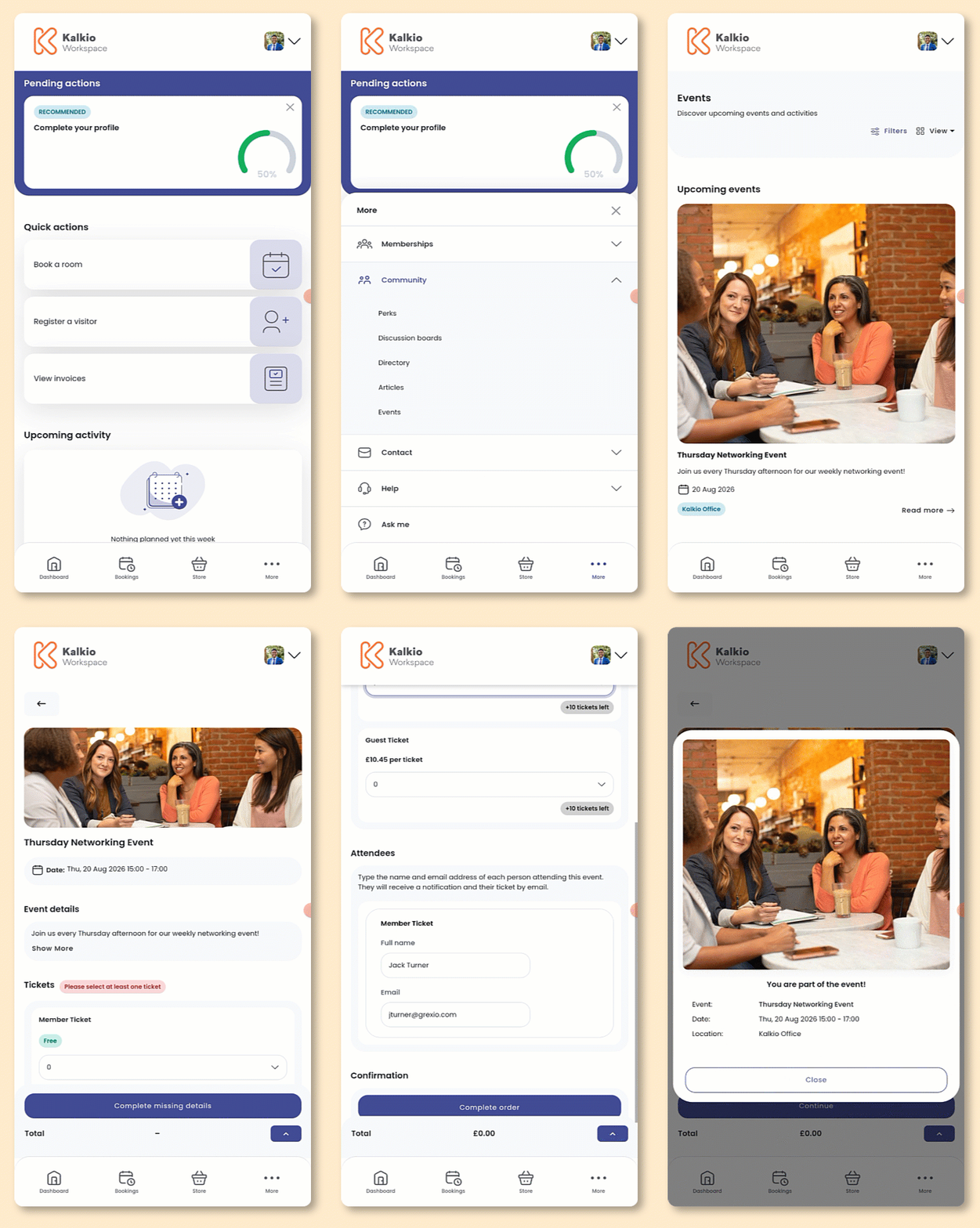
Open the Passport app if you haven't already.
- Tap More.
- Tap Community.
- Tap Events
- Select the event you'd like to attend.
- Tap Get tickets.
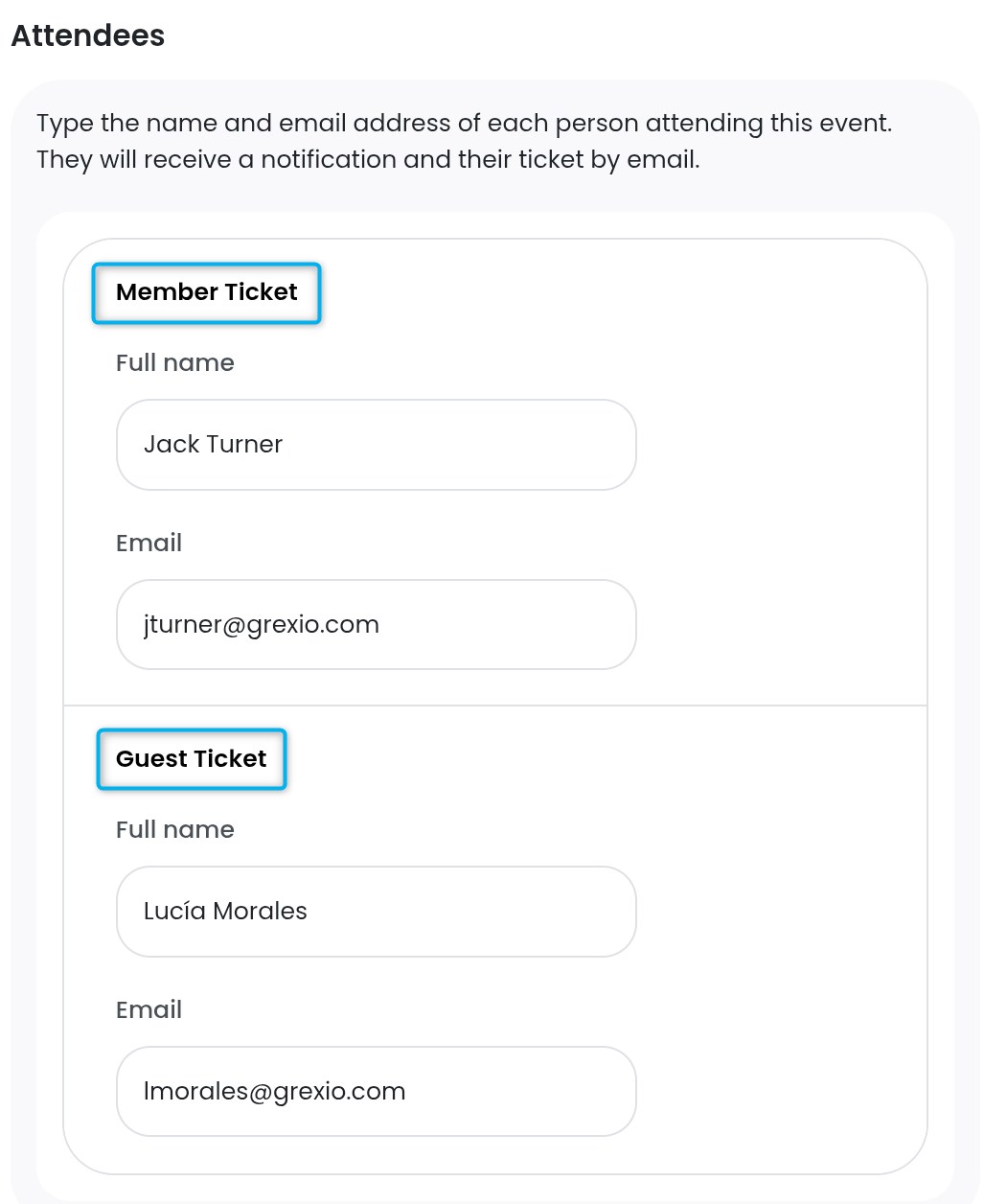
- Under Tickets, select the quantity and type of each ticket you'd like to purchase. Under Attendees, enter the Full Name and Email of each attendee.
Purchasing more than one type of ticket?
Make sure each attendee's name and email matches the correct ticket type.
- Add your Payment details if necessary.
You'll only need to add payment details here if you don't already have them on file.
If you plan to add more items to your cart, you can wait to add your payment details until you're ready to check out.
- Click Submit payment to check out or Add to cart if you'd like to add more items before checking out.
Adding a ticket to your cart?
Your ticket will remain in your cart for 30 minutes and won't be reserved until you check out.
If it sells out, you'll need to remove it from your cart before completing your purchase.