Customers can resume their frozen plans from the Account section of the Members Portal.
For example, a customer froze their plan to travel for a few months. They ended up coming back early and want to enjoy their membership again.
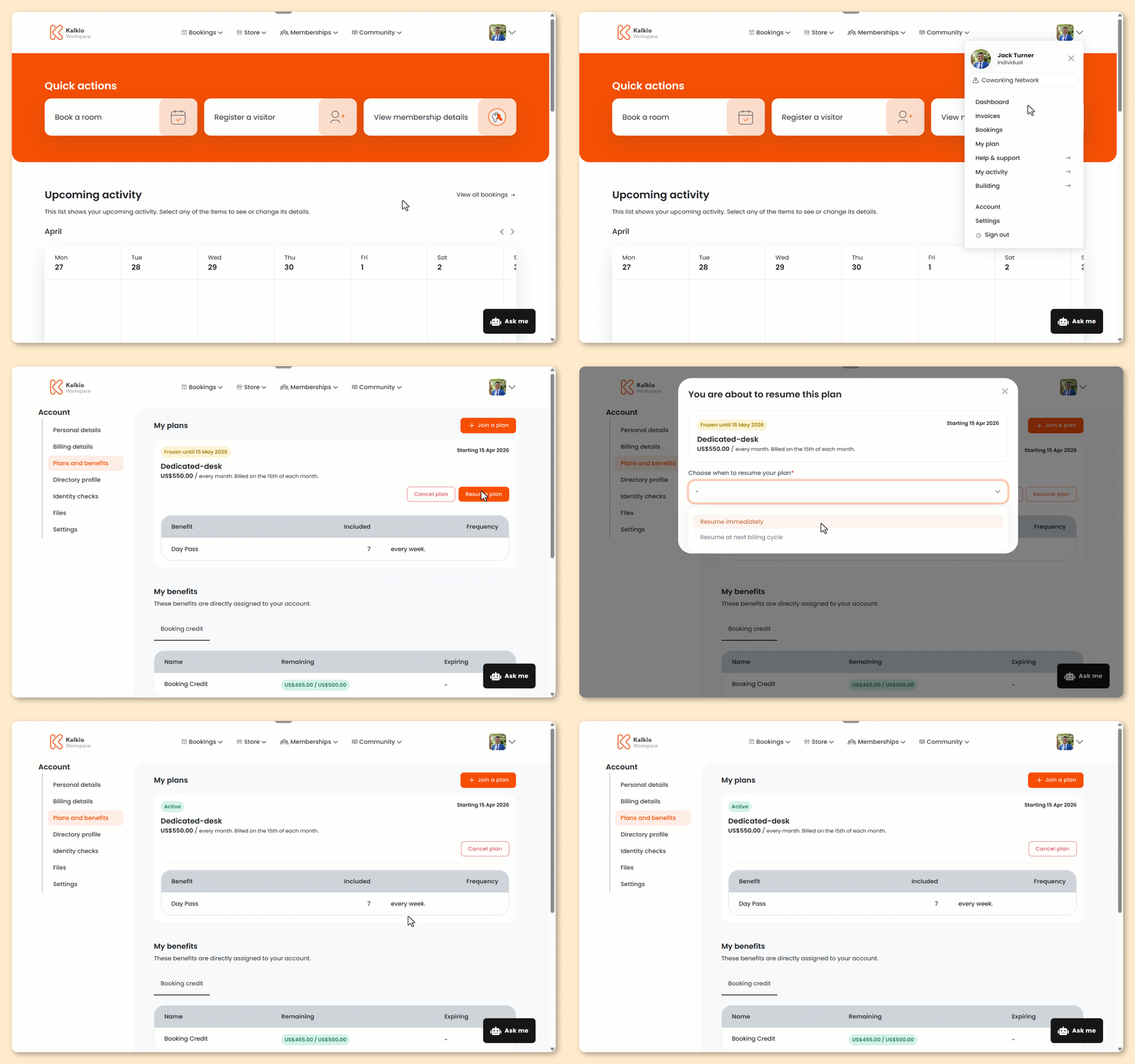
Log in to the Members Portal if you haven't already.
- Open the drop-down menu next to your icon.
- Select My plan.
- Click Resume plan.
- Select whether you'd like to resume your plan Immediately or At the next billing cycle.
- Click Resume plan.
All set! The plan will resume on the selected date.
If the plan is prorated, the customer will be charged for the number of days left in the current billing cycle.
If the plan isn't prorated, the customer will be invoiced for the entire billing cycle no matter when they resume.