You can view customer benefit usage in the Operations section of the Admin Panel.
You can see a record of each time:
- a customer used credit to pay for a booking, print job, or other purchase
- an admin manually adjusted a customer's credit's balance
You can also view team benefit usage.
You can view the use history of time credits, money credits, and printing credits.
You can see an overview of a customer's usage by credit type or usage per credit.
Usage by Credit Type
You can easily see a customer's use history by credit type.
For example, a customer thought they had more time credits remaining for the rest of the month and wants to know why their balance is already at 0.
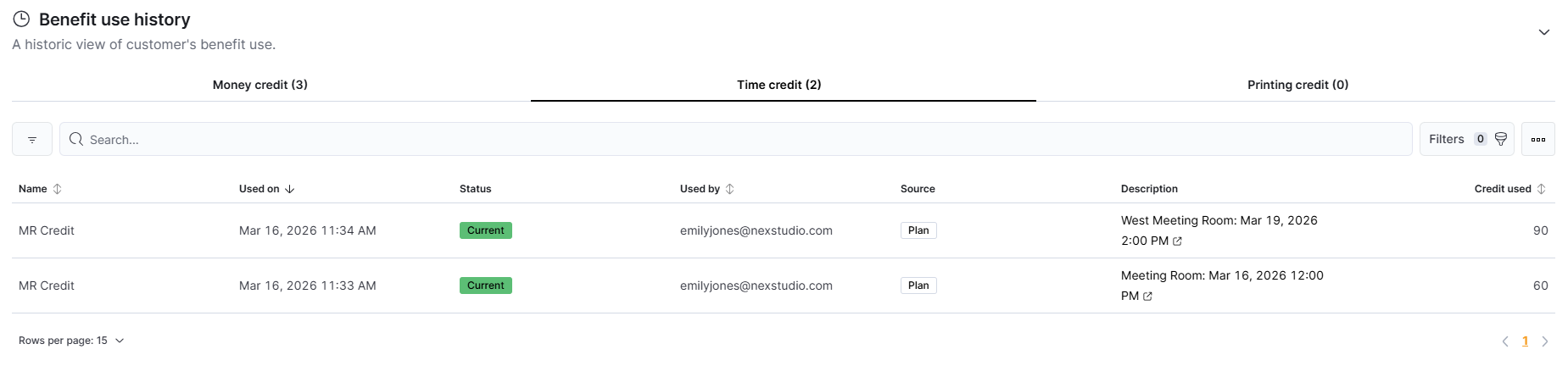
Log in to dashboard.nexudus.com if you aren't already.
- Go to Operations > Members and contacts.
- Click on the customer whose benefit history you'd like to see.
- Under the Benefits tab, click Benefit use history.
- Click on the Money credit, Time credit, or Printing credit tab to see the relevant benefit activity.
All set! You can see a record of each time the customer used all or part of a credit.
If you're not sure what a specific field means, check out Credit Usage Fields.
Something doesn't look right? You can manually adjust the customer's credit balance.
Usage per Credit
You can easily see a record of each time a customer used a specific credit.
For example, a customer wants a breakdown of which bookings used their monthly 300-minute meeting room credit.
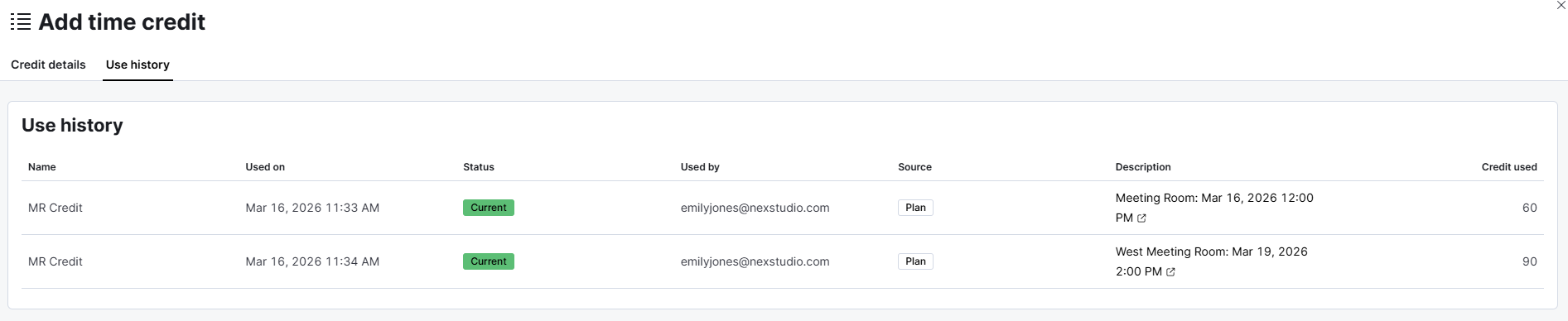
Log in to dashboard.nexudus.com if you aren't already.
- Go to Operations > Members and contacts.
- Click on the customer whose benefit history you'd like to see.
- Under the Benefits tab, select Money credit, Time credit, or Printing credit.
- Select the credit whose use history you'd like to see.
- Click on the Use history tab.
All set! You can see a record of each time the customer used this specific credit.
If you're not sure what a specific field means, check out Credit Usage Fields.
Something doesn't look right? You can manually adjust the customer's credit balance.
Credit Usage Fields
You can see the following information for each record of credit usage.
| Field | Description |
|---|---|
| Name | This field shows name of the credit. |
| Used on | This field shows the date and time the credit was used. |
| Status | This field shows whether the credit is current or expired. Current credits have time, money, or uses remaining. |
| Used by | This field shows the email of the customer who used the credit or the admin who adjusted the credit amount. |
| Source | This field shows how the credit was given to the customer. Credits can come from plans, products, or being manually added to a customer's account. |
| Description | This fields shows the transaction the credit was used for or the reason for adjustment if manually edited by an admin. |
| Credit used | This field shows the amount of credit used. |