Customers can cancel their bookings from the My Activity section of the Members Portal.
You can define your cancellation policy for bookings.
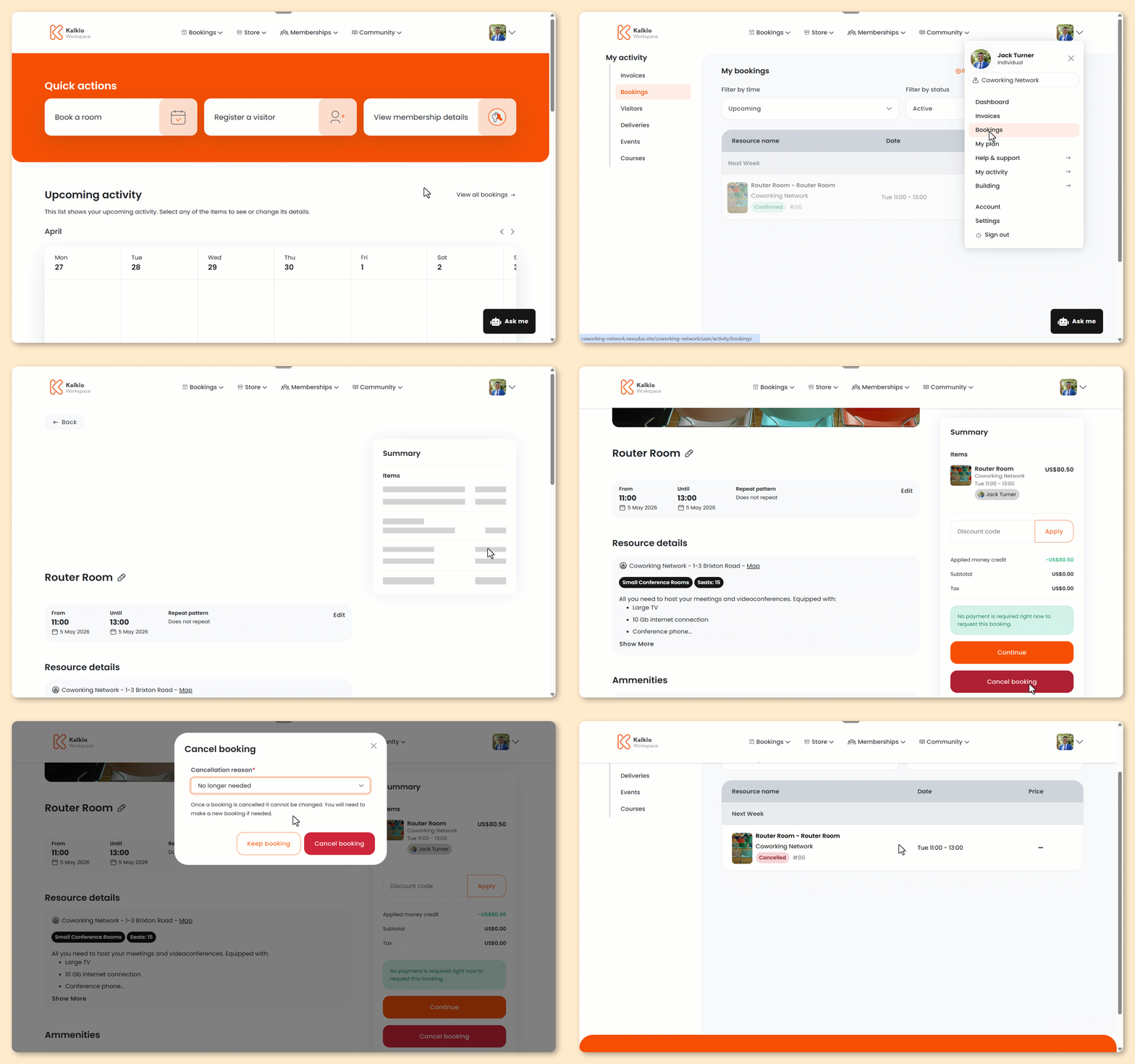
Log in to the Members Portal if you haven't already.
- Open the drop-down menu next to your icon and select My Activity.
- Select Bookings.
- Click Modify next to the booking you'd like to cancel.
- Click Cancel booking.
- Select a Cancellation reason.
- Click Cancel booking.
All set! The booking has been cancelled. Customers will receive an email confirming the cancellation.