What are resource rules?
Resource rules are limits that are only applied if certain conditions are met, such as the customer making the booking.
For example, you can create a rule that only lets members book your premium resources.
How do resource rules work?
To create a resource rule, you'll need to define both a condition and a limit. A condition triggers a rule, and a limit results if that condition is met.
Let's say you create a rule that contacts can only making bookings on weekdays. Contacts are the condition and the reduced availability is the limit.
You can create individual rules that apply to a specific resource or global rules that apply to multiple resources. If multiple rules apply to the same resource, you can also define an evaluation order.
You can define any number of rules for your resources.
How can I effectively build resource rules?
You should first decide who the rule is for and when the resource will be available.
For example, you may want certain customers to have expanded access to resources based on their plan type.
We also recommend these best practices to build sustainable rules for your space:
Choose Descriptive Names
We recommend including the relevant group of resources or the specific resource in the rule's name if it doesn't apply to all resources in your space.
For example, a rule that applies to all your meeting rooms could be named Meeting Room Availability, while one that only applies to your premium meeting room could be named Premium Meeting Room Availability.
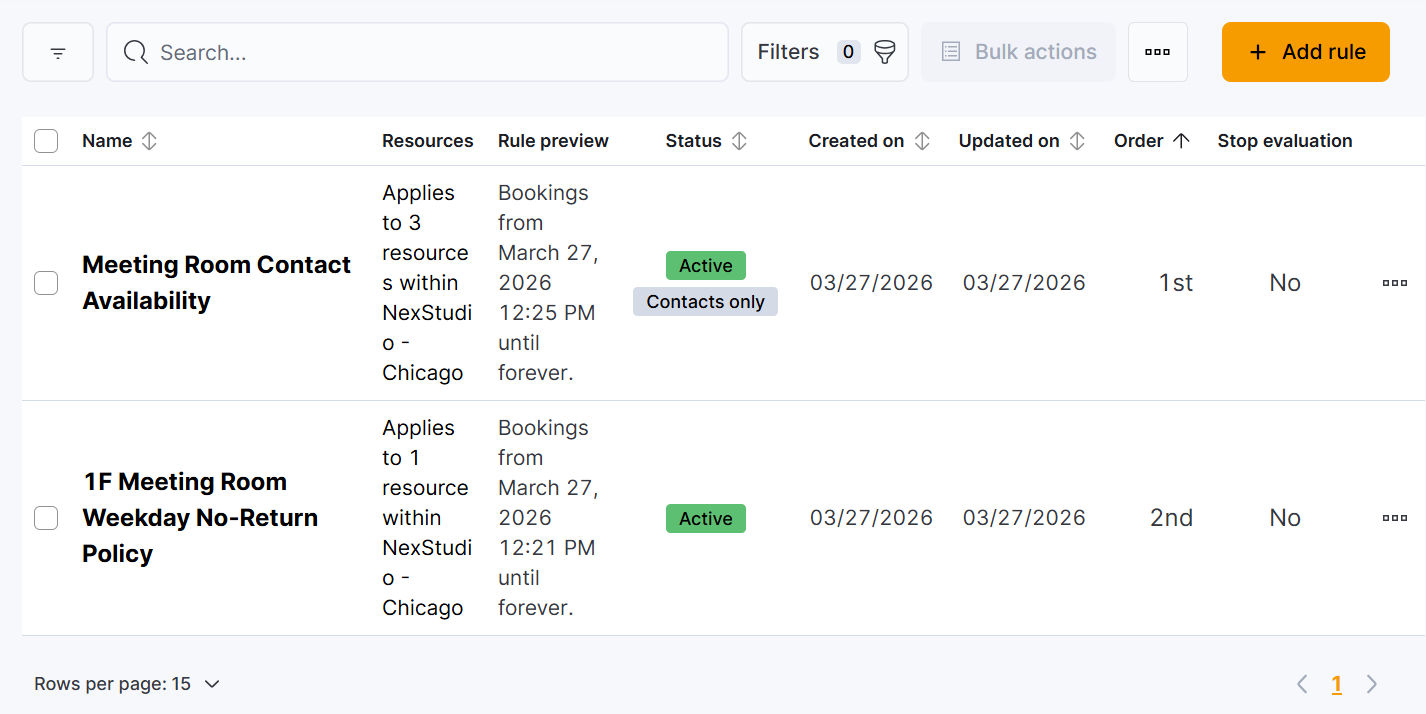
You can see at a glance which rules apply to which resources, which helps you avoid conflicting rules and determine evaluation order.
Avoid Conflicting Rules
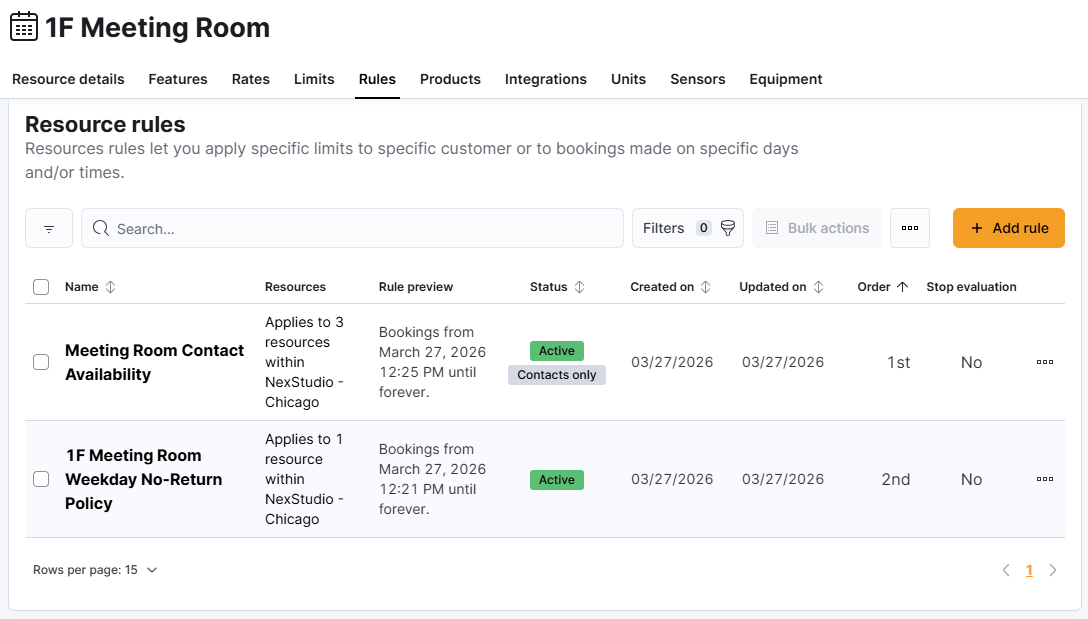
When multiple rules apply to the same resource, plan carefully to ensure the rules don't conflict with each other.
For example, a resource has an individual rule that only lets contacts book and a global rule that only lets members book. Customers simply won't be able to book this resource.
You can easily view all the rules that apply to a specific resource and check for conflicts. Simply open the resource record under Inventory > Resources and click on the Rules tab.
Determine Evaluation Order Carefully
When multiple rules apply to the same resource, you can set an evaluation order that determines which rules should be evaluated first.
Let's say a resource has two rules. You can set the evaluation order so Rule 1 is evaluated first. If Rule 1 is failed, the booking will be blocked. If Rule 1 is passed, then Rule 2 will be evaluated.
If you'd like a rule to block the evaluation of all lower-ranked rules when its conditions are met, you can also toggle on Stop the evaluation of other rules if this one is met.

For example, a resource has three rules, and you enable this toggle for Rule 2. If Rule 1 is passed, Rule 2 is evaluated. If Rule 2 is passed, Rule 3 is ignored because the toggle blocks it from being evaluated.
If you have both individual and global rules for your resources, carefully consider how you want them evaluated. Global resource rules have the same ranking for all resources they apply to.
For example, a global resource rule can't be evaluated first for one resource and second for a different resource.


FAQ
Can I convert several identical individual rules into one global rule?
Yes, you can easily convert individual rules into a global rule that applies to multiple resources.
Can I create rules that control the pricing of my resources?
Resource rules can't control pricing. You can control pricing, including dynamic pricing, through resource rates.