Your customers may need to enable e-invoicing themselves from the Members Portal in some scenarios:
- Your space reports e-invoicing through the Peppol or VERIFACTU networks.
- You do not want customers to receive a copy of their e-invoice via email.
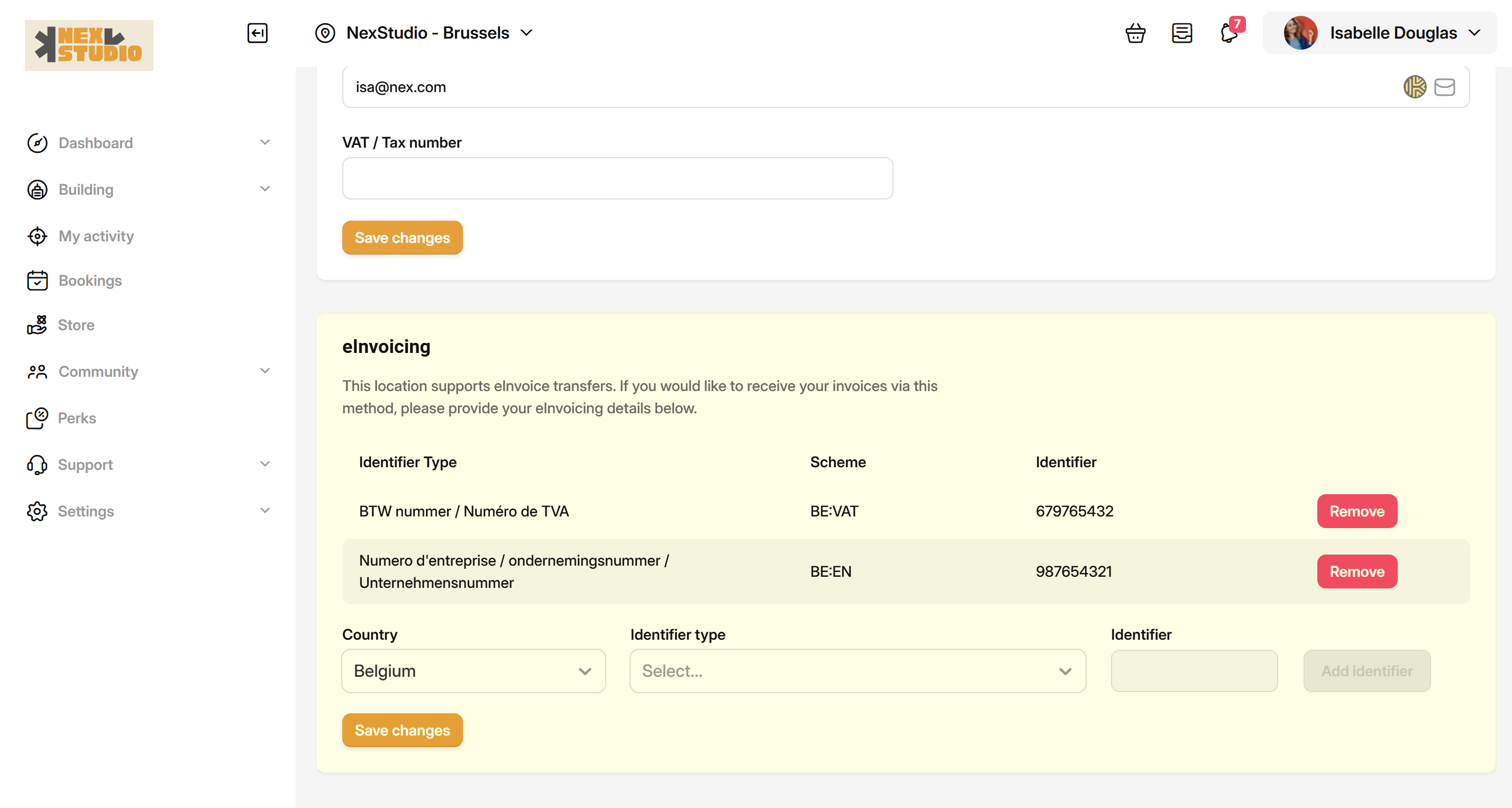
Your customers must add their own legal details and identifiers.
The exact name and number of identifiers required will vary based on where your space is located.
- Log in to your space's Members Portal.
- Click on your name in the top-right corner of the page.
- Click on Billing.
- Click on the Payment details tab.
- Scroll down to the eInvoicing section.
- Click on the Identifier type drop-down menu.
- Select one identifier from the menu and add the relevant identifier.
- Click on Add identifier.
- If more than one identifier type is listed, repeat steos
⚠️ If more than one Identifier type is listed, make sure you add all of them.
Click the Save Changes button.
All set! Remember that each customer your space invoice will need to complete this process.