Team administrators can offboard team members in just a few clicks on the Members Portal. Offboarding team members cancels their plan and removes them from the team on the date you select.
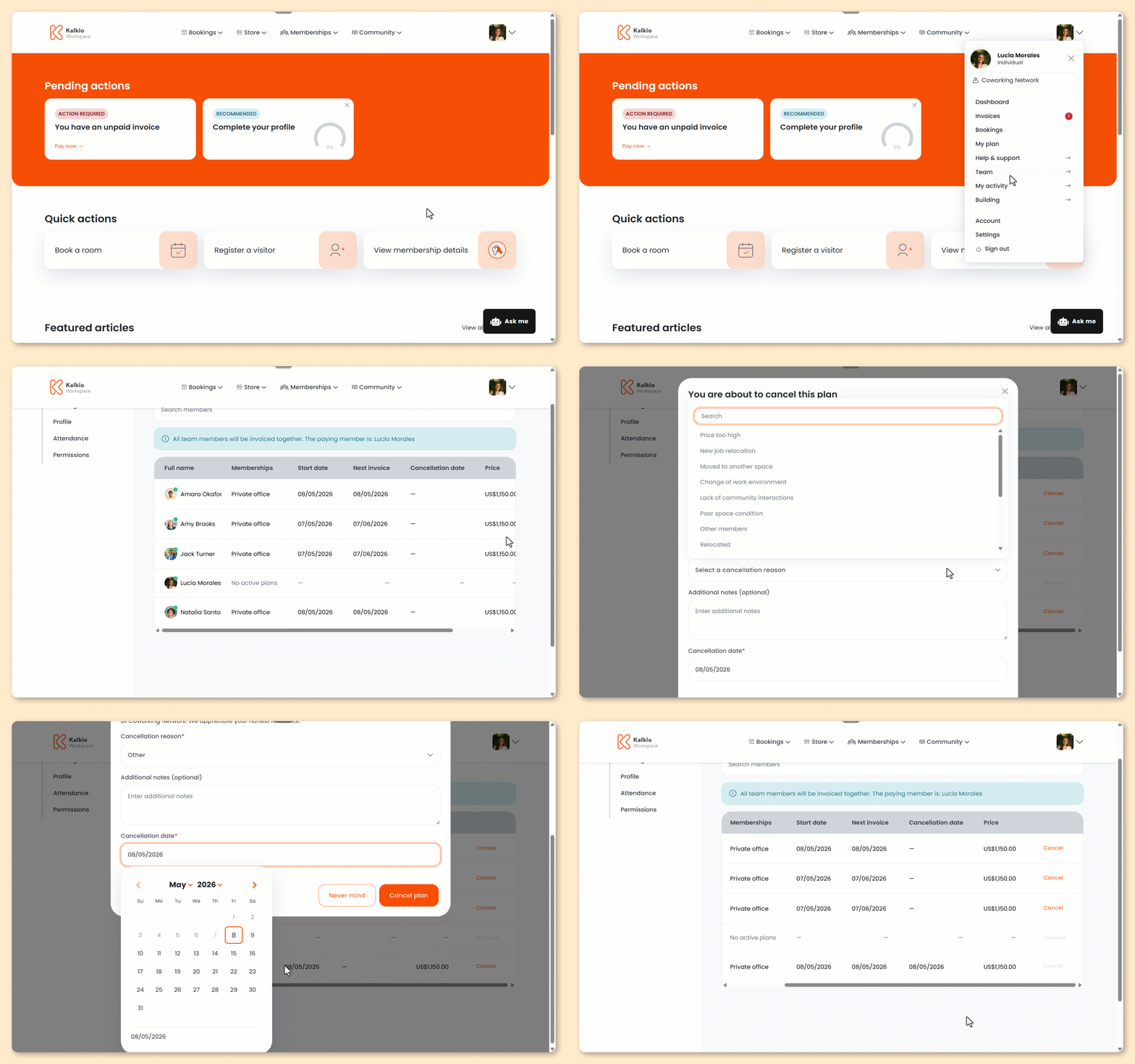
Log in to the Members Portal if you haven't already.
- Click on your icon.
- Select Team.
- Select Members.
- Click Cancel next to the team member you'd like to offboard.
- Select a Cancellation reason.
- Add any Additional notes.
- Select a Cancellation date.
You can't cancel plans from the Members Portal before the next invoice period.
- Click Cancel plan.
All set! The new team member's plan will be cancelled on the date you've selected.