Customers can easily sign files you've shared with them from the Account section of the Members Portal.
You need to have the digital signature integration enabled to let customers sign documents.
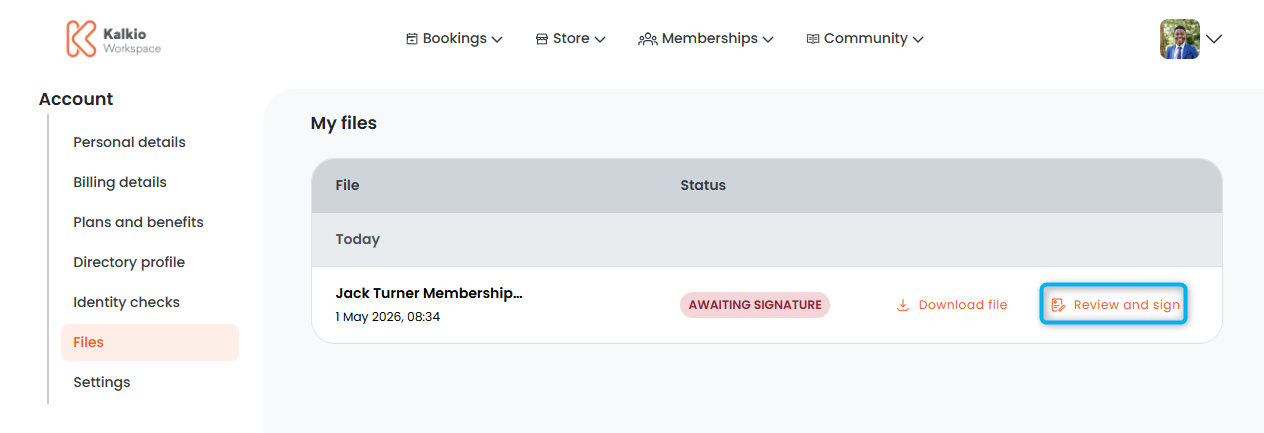
Log in to the Members Portal if you haven't already.
- Open the drop-down menu next to your icon.
- Select Account.
- Select Files.
- Click Review and Sign next to the file you'd like to sign.
You'll be redirected to Dropbox Sign and guided through the signing process.
All set! Once the customer has successfully signed the document, they'll be prompted to download a copy for their records. They can also download the signed file from the Account section of the Members Portal.
You'll receive an email notification letting you know the customer has signed the document with a link to view it on the Admin Panel.