Customers can message your space directly through the Contact Form.
For example, a customer wants to know if you offer free parking at your space.
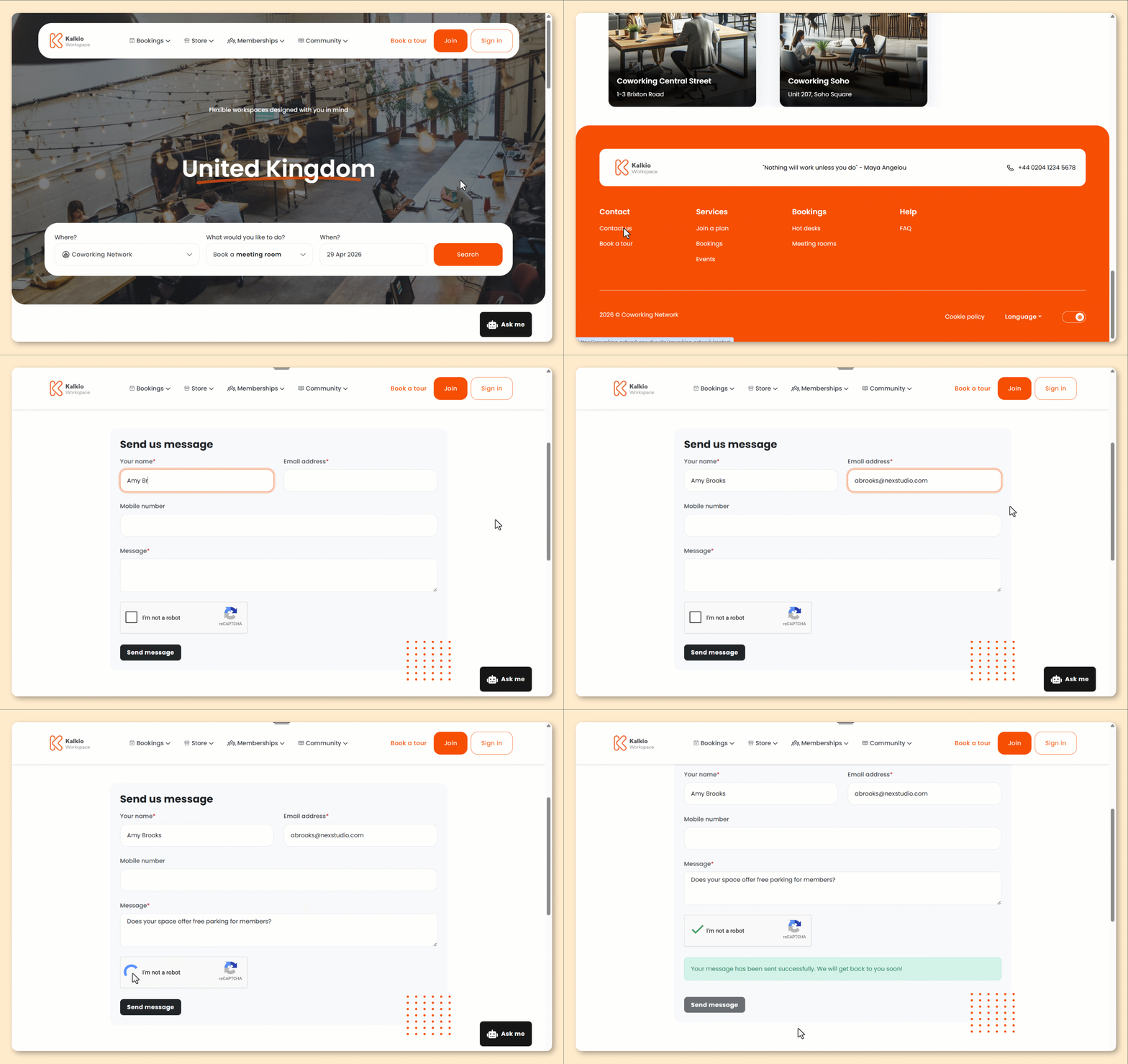
These steps follow the default version of the Members Portal.
If you've customized your portal, the steps for your customers may be different.
- From the Members Portal home page, scroll down to Contact.
- Click Contact Us.
You'll be redirected to the contact form.
- Enter Your name.
- Enter your Email address.
- Enter your Mobile number.
- Enter your Message.
- Click Send message.
All set! You'll receive a notification when a customer submits a message through the contact form. You can respond from the Contact Form section on the Admin Panel.