All admins who can edit plans and contracts can resume contracts for customers at any time in a few clicks on the Admin Panel. You can resume contracts in different ways, depending on what you want to achieve:
-
Via the customer's account
To resume one or more contracts for a specific customer. -
Via teams
To resume contracts for an entire team in one go. -
Via the Contracts list
Ideal to resume contracts in bulk for multiple customers.
- Charges resume for that contract starting from the first day of its next billing cycle or the day the contract is resumed.
- Customers regain member status and access to if they had no other active contract during the freeze period.
- Member rates and benefits apply again if they had no other active contract during the freeze period.
Via the customer's account
This option is the easiest and quickest way to resume a customer's contract.
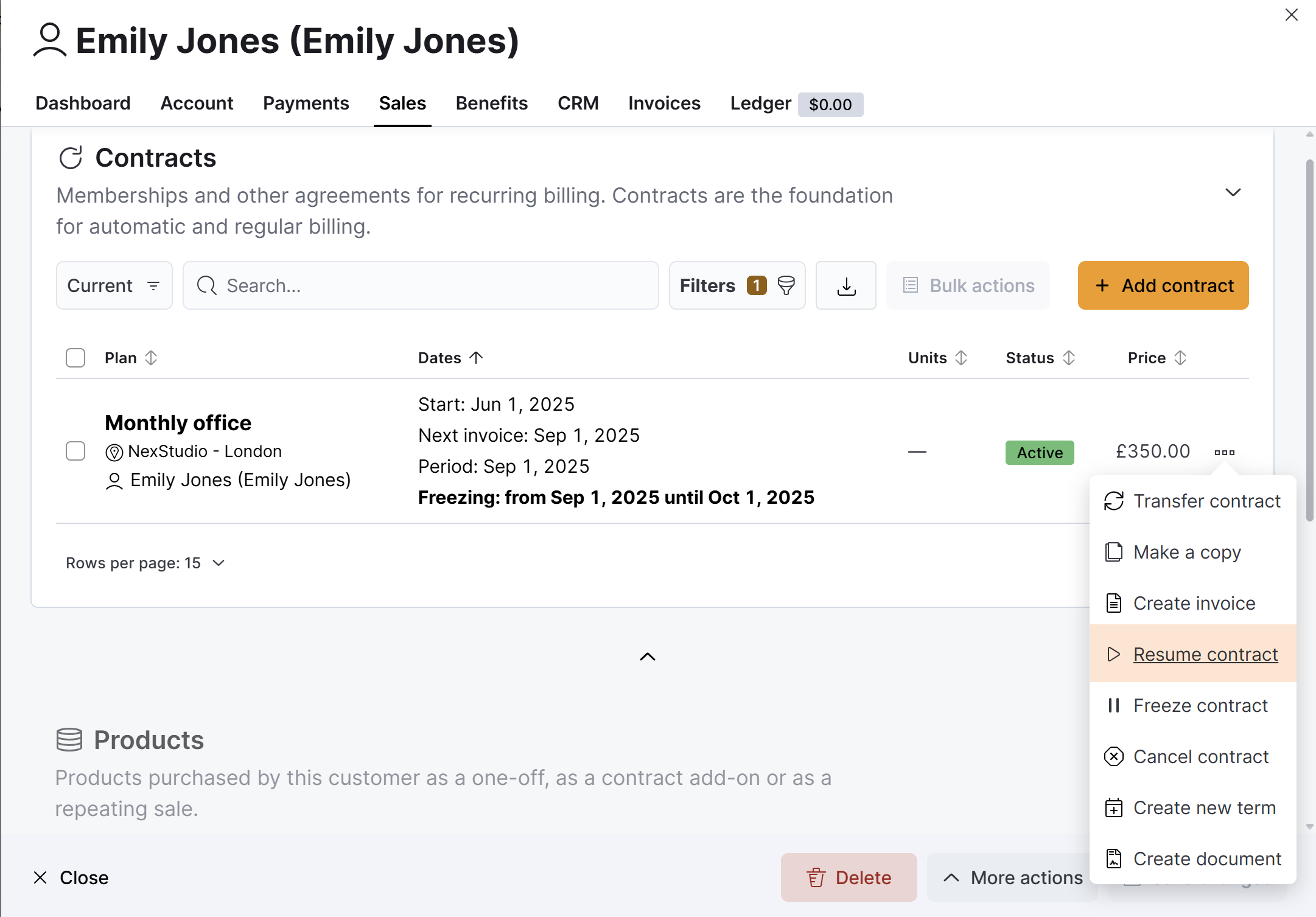
Log in to dashboard.nexudus.com if you aren't already.
- Click Operations > Members and contacts.
- Click on the relevant customer.
- Click on the Sales tab.
- Click on the Contracts section.
- Click on the three dots icon next to the contract you want to unfreeze.
- Click on Resume contract.
- Toggle on Resume from today if you want to resume the contract instantly instead of waiting for the start of the contract's next billing cycle.
Leave this option toggled off to have the contract resume on the first day of the contract's next billing cycle.
If their plan has proration, they'll be invoiced for the number of days left in the current billing cycle. If their plan is not prorated, they'll be invoiced for the entire billing cycle, no matter when they resume within that cycle.
Click Yes, do it to confirm.
All set! The contract will be active again from the first day of its next billing cycle.
Via teams
This option is ideal if you need to unfreeze all the contracts for a specific team.
All resumed contracts will follow their own billing dates and periods, even if they’re resumed at the same time, unelss you choose to resume them all on the day.
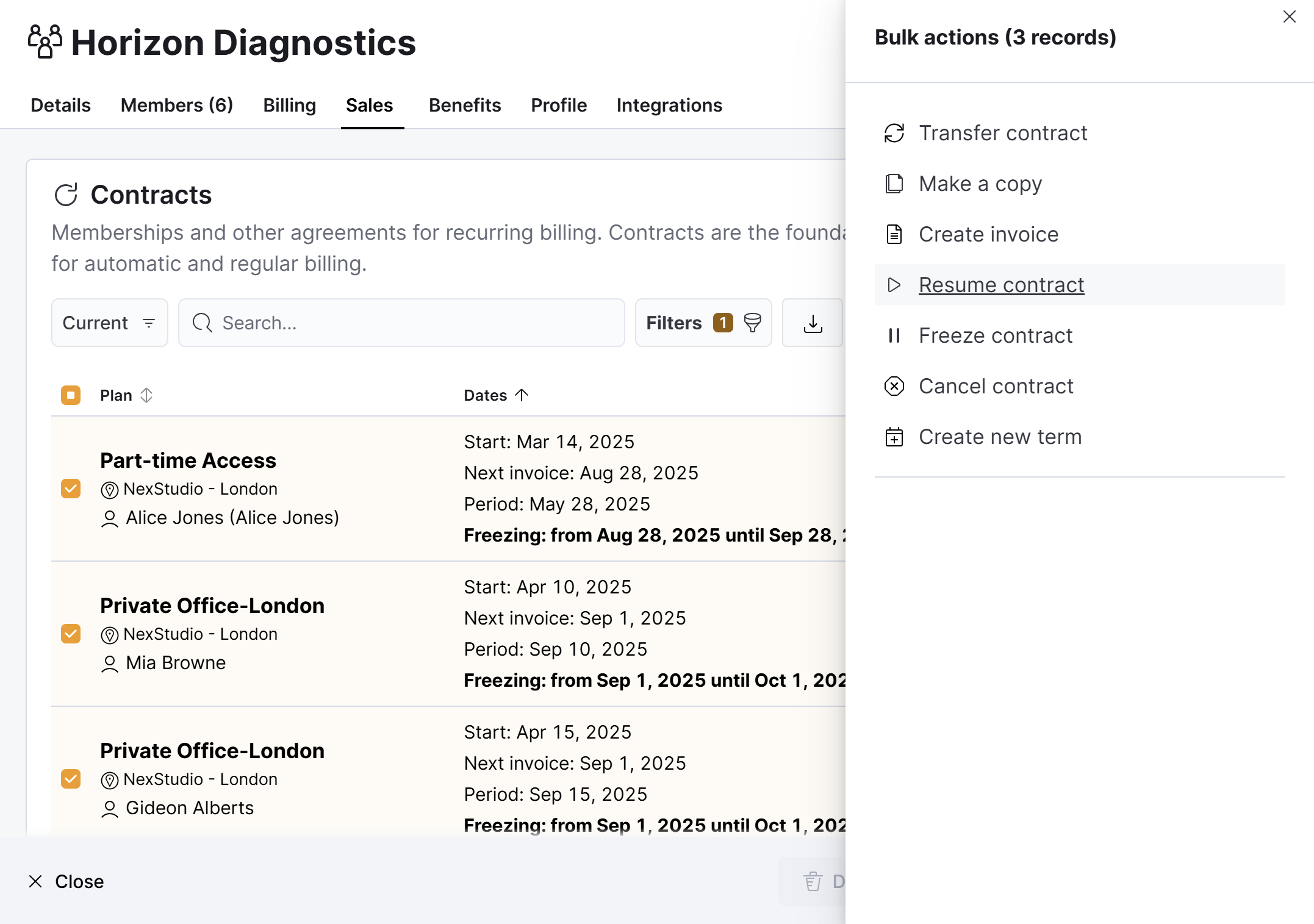
Log in to dashboard.nexudus.com if you aren't already.
- Click Operations > Teams.
- Click on the relevant team.
- Click on the Sales tab.
- Click on the Contracts section.
- Tick the checkbox next to every contract you'd like to unfreeze on the team.
- Click on the Bulk actions button.
- Click on Resume contract.
- Toggle on Resume from today if you want to resume the contract instantly instead of waiting for the start of the contract's next billing cycle.
Leave this option toggled off to have the contract resume on the first day of the contract's next billing cycle.
If their plan has proration, they'll be invoiced for the number of days left in the current billing cycle. If their plan is not prorated, they'll be invoiced for the entire billing cycle, no matter when they resume within that cycle.
Click Yes, do it to confirm.
All set! The selected contracts are now active again.
Via the contracts list
This method is ideal if you need to resume multiple contracts for different customers in bilk .
For example, if your space was closed for several weeks and you froze contracts during that time, you can resume them in bulk once your space is ready to welcome them again.
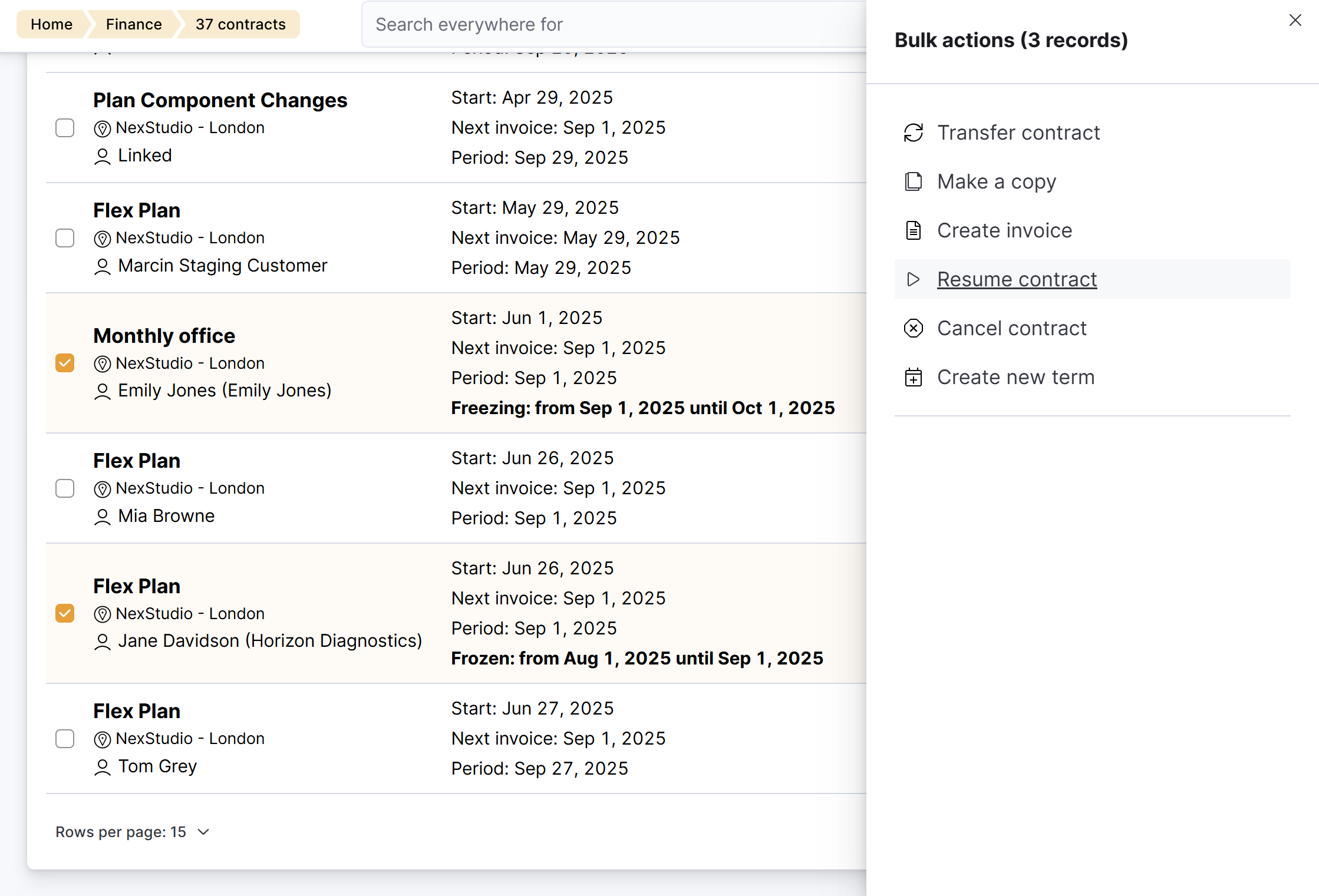
Each contract follows its own billing dates and periods, even if they’re different and unfrozen at the same time.
Log in to dashboard.nexudus.com if you aren't already.
- Click Finance > Contracts.
- Tick the checkbox next to every contract you'd like to unfreeze.
- Click on the Bulk actions button.
- Click on Resume contract.
- Toggle on Resume from today if you want to resume the contract instantly instead of waiting for the start of the contract's next billing cycle.
Leave this option toggled off to have the contract resume on the first day of the contract's next billing cycle.
If their plan has proration, they'll be invoiced for the number of days left in the current billing cycle. If their plan is not prorated, they'll be invoiced for the entire billing cycle, no matter when they resume within that cycle.
Click Yes, do it to confirm.
All set! The selected contracts are now active again.