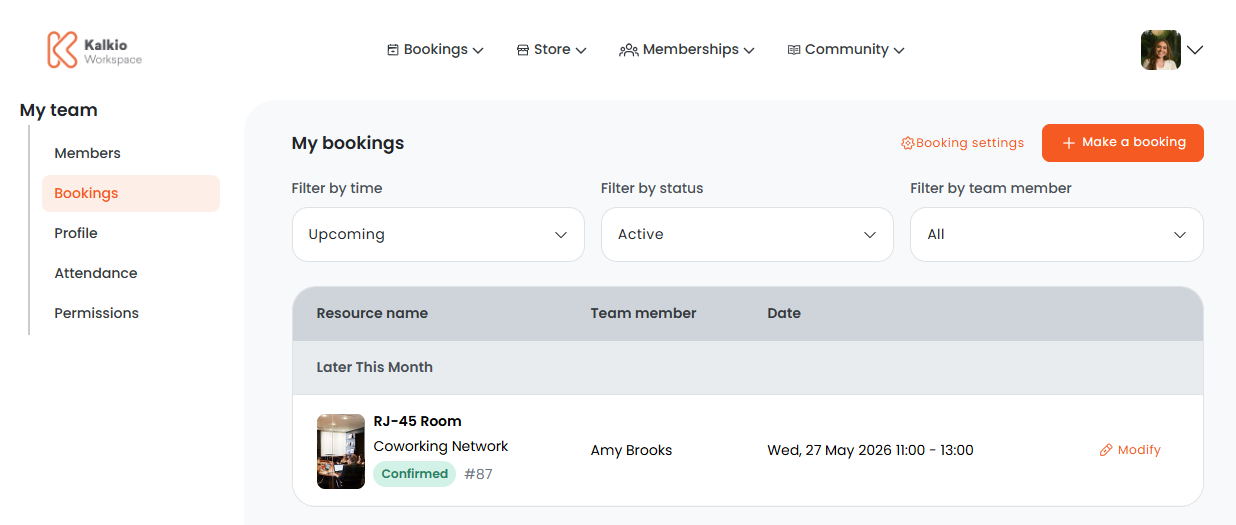
Customers who are part of teams can easily make bookings on behalf of other team members.
Team members with this permission enabled will see a field called Select who the booking is for when making a booking.
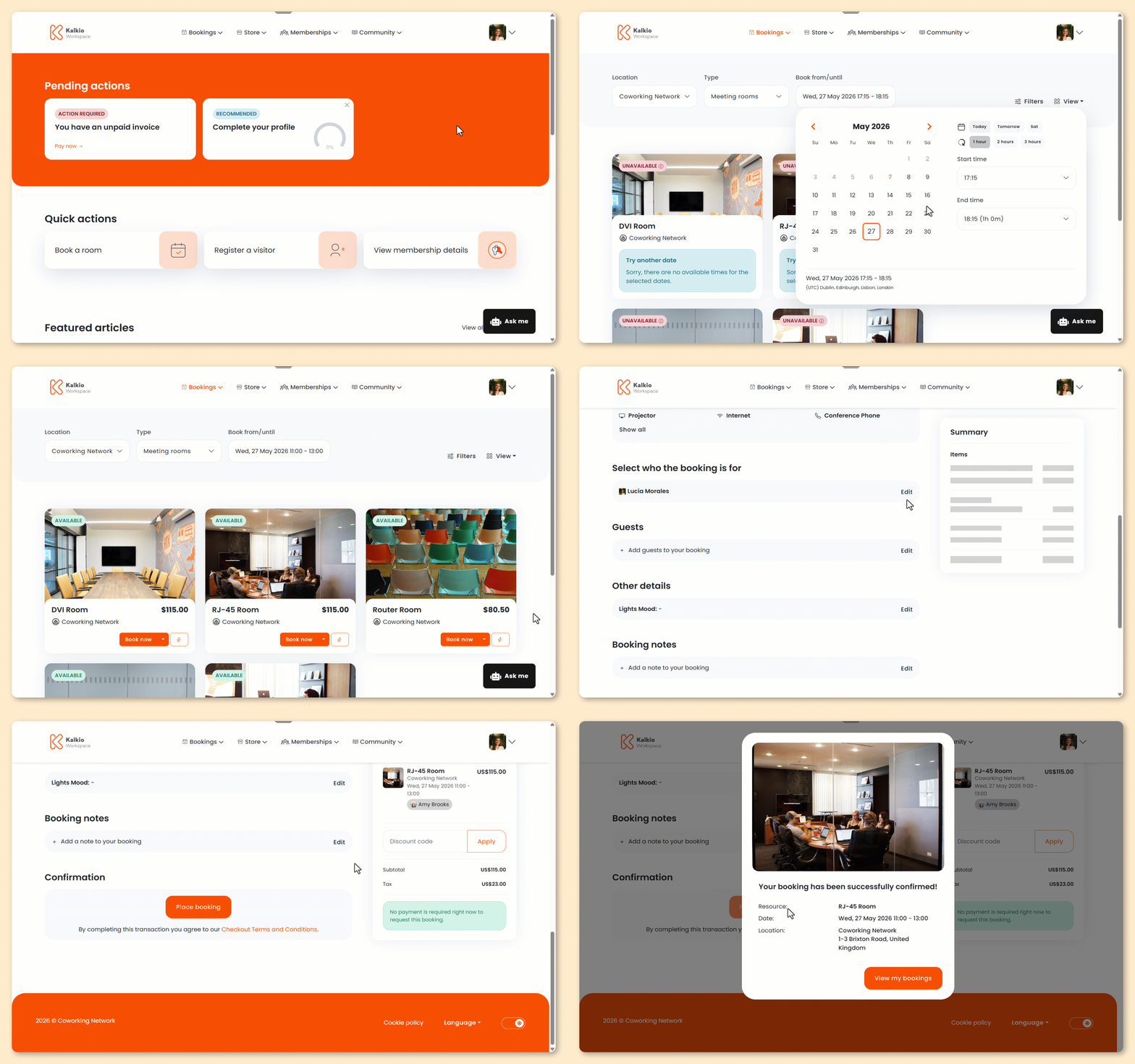
Log in to the Members Portal if you haven't already.
- Select a resource kind from the Bookings drop-down menu.
- Under Book from/until, select a date and time to see which resources are available.
- Click Book now on the selected resource.
You can't make instant bookings for other team members.
- Under Select who the bookings is for, select the relevant team member.
- Modify the booking as needed.
- Click Place booking.
All set! Customers can view all team bookings from the Bookings view of the Team section.