Customers can cancel their plans from the Account section of the Members Portal.
You can manage plan cancellation policies from the Limits tab of each plan record on the Admin Panel.
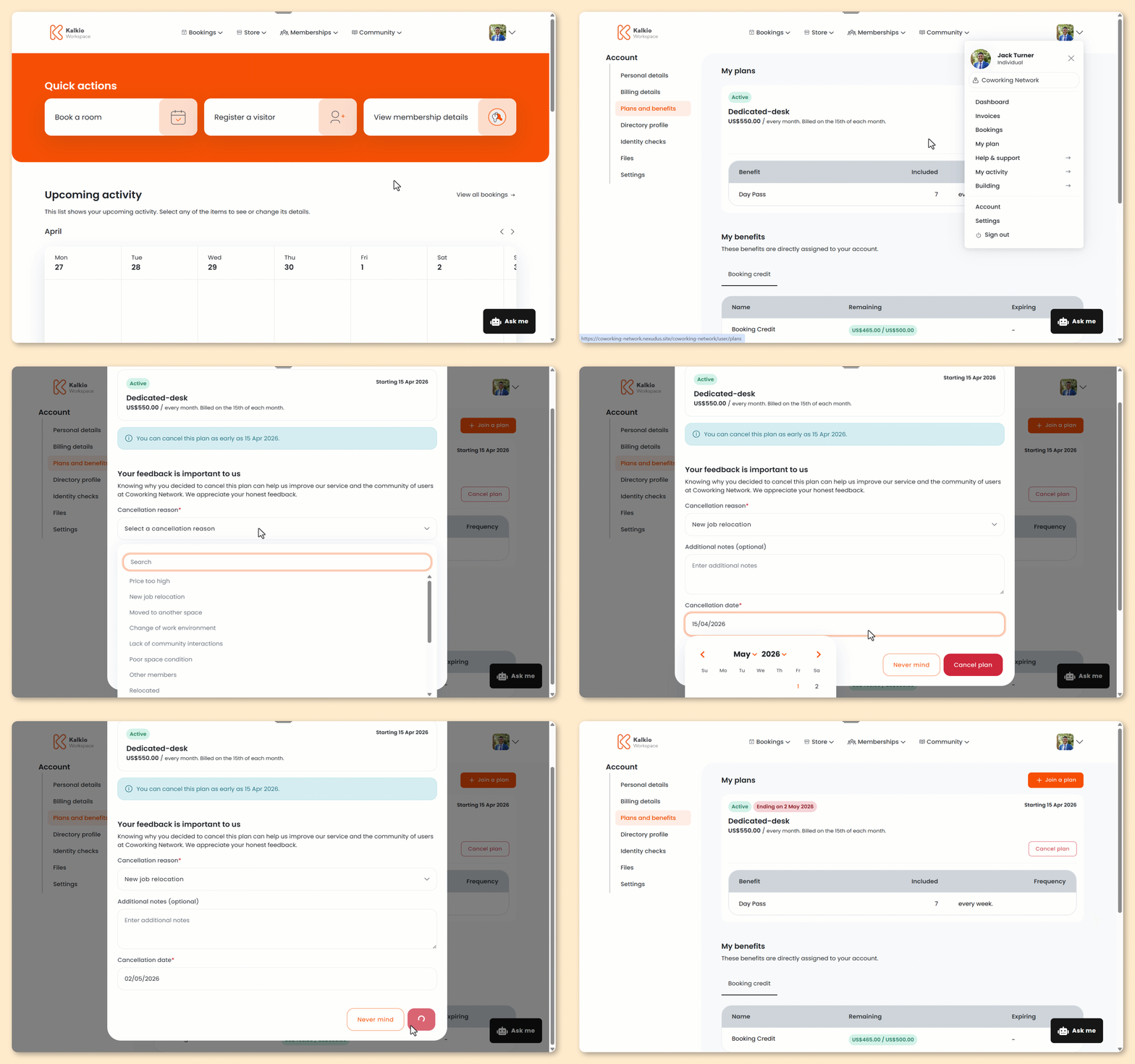
Log in to the Members Portal if you haven't already.
- Open the drop-down menu next to your icon.
- Select My plan.
- Click Cancel plan.
- Select a Cancellation reason.
- Add any Additional notes.
- Select your Cancellation date.
- Click Cancel plan.
All set! The customer's contract will be cancelled on the selected date.