What are events?
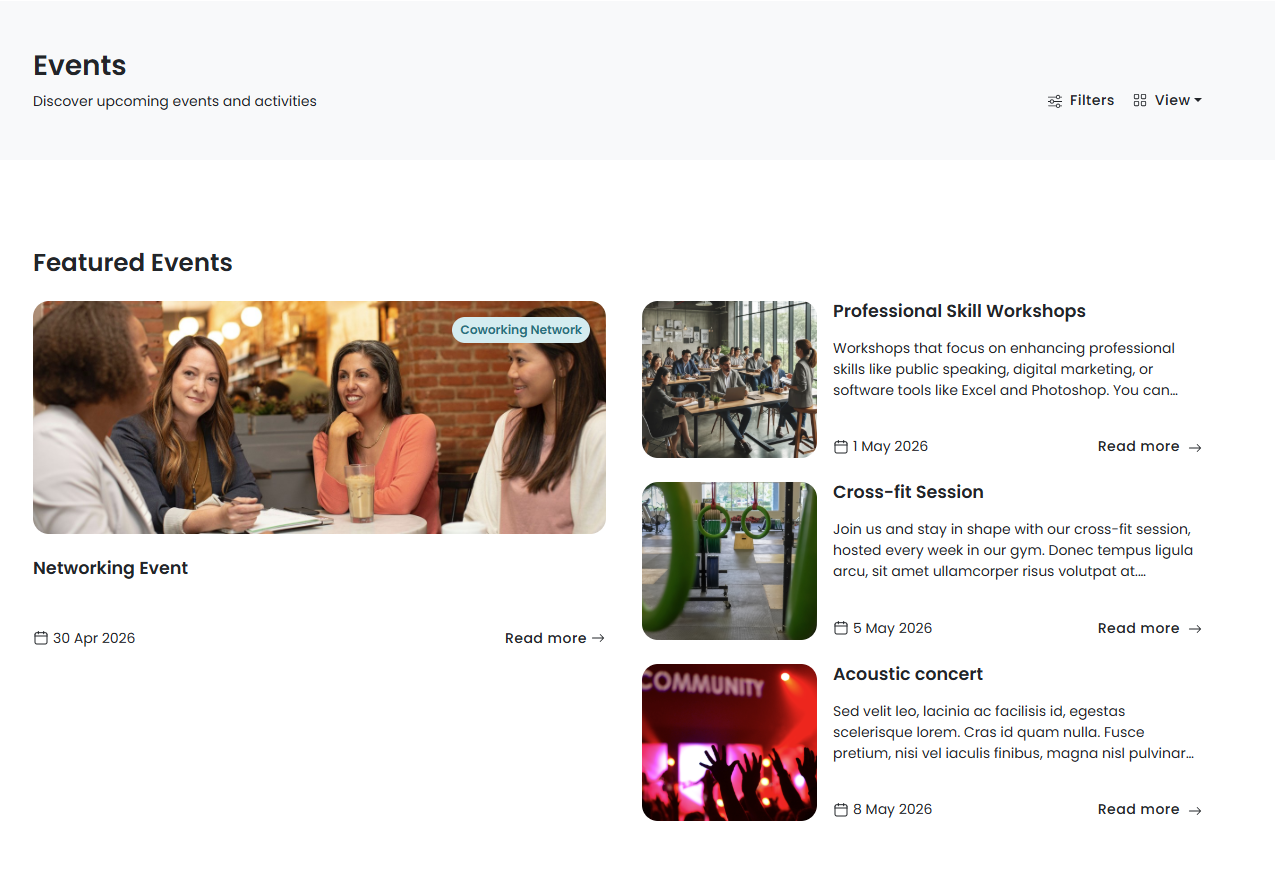
The Events section of the Members Portal lets customers browse the events happening in your space and purchase tickets.
Events are a great way to build community in your space. You can let customers RSVP for free, or you can sell tickets if you'd like them to purchase access.
How the events section works
You can choose whether or not you'd like to enable the Events section and who has access to it.
If you choose to enable the Events section, you'll need to create events on the Admin Panel and publish them to the Members Portal. Customers can browse events by category or through the events calendar.
If you want customers to be able to RSVP or purchase access to your events, you'll also need to create and publish event tickets. Event tickets can be free or paid.
Before you publish any events on the Members Portal, you'll need to enable the Events section and define certain settings.
Setting up the events section
We recommend treating these steps as an audit for your space. You can also make sure you're taking advantage of all the new features added in Version 5
You'll first need to enable the Events section on the Admin Panel. You'll also need to define certain settings, such as which customer groups have access to the Events section and how customers pay for event tickets.
Once you've defined your settings, you can publish events and tickets on the Members Portal.
For more information, check out Setting up the Events Section.