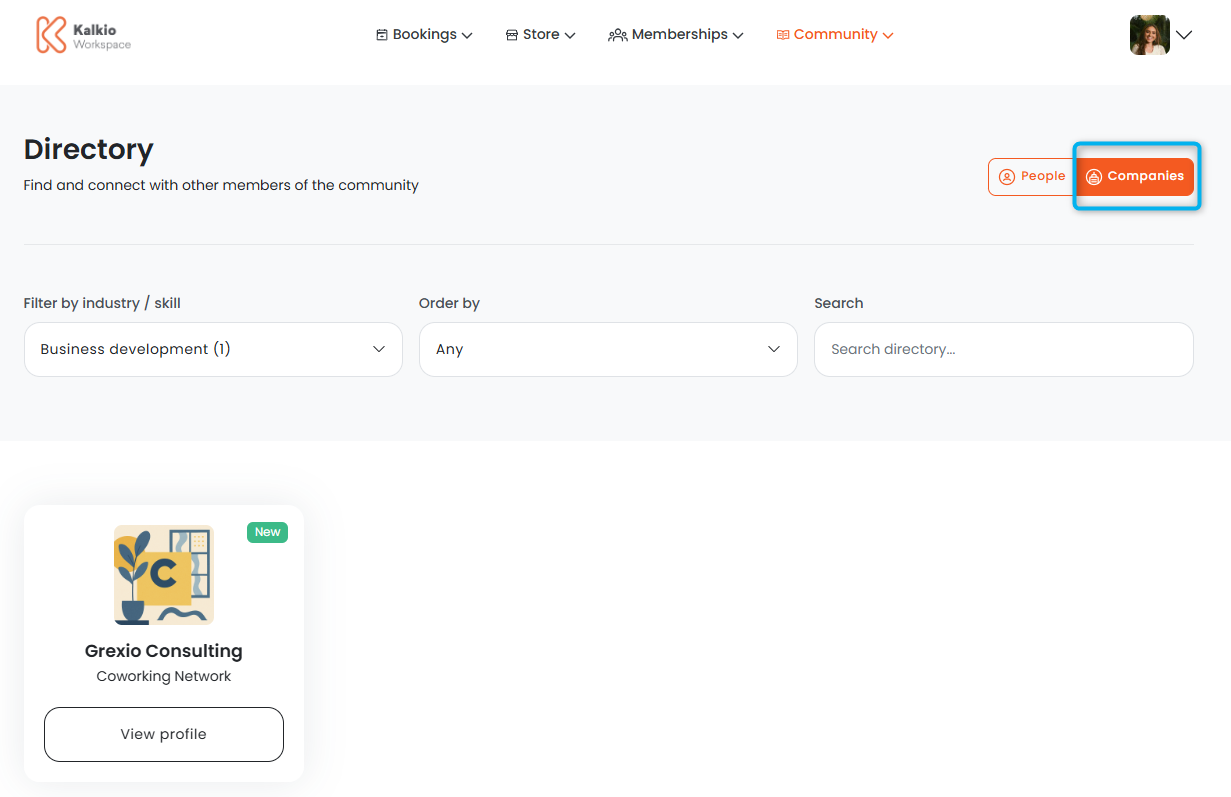
Team administrators can easily publish profiles for their teams in the Members Portal directory.
Individual team members can also publish their own profiles in the directory.
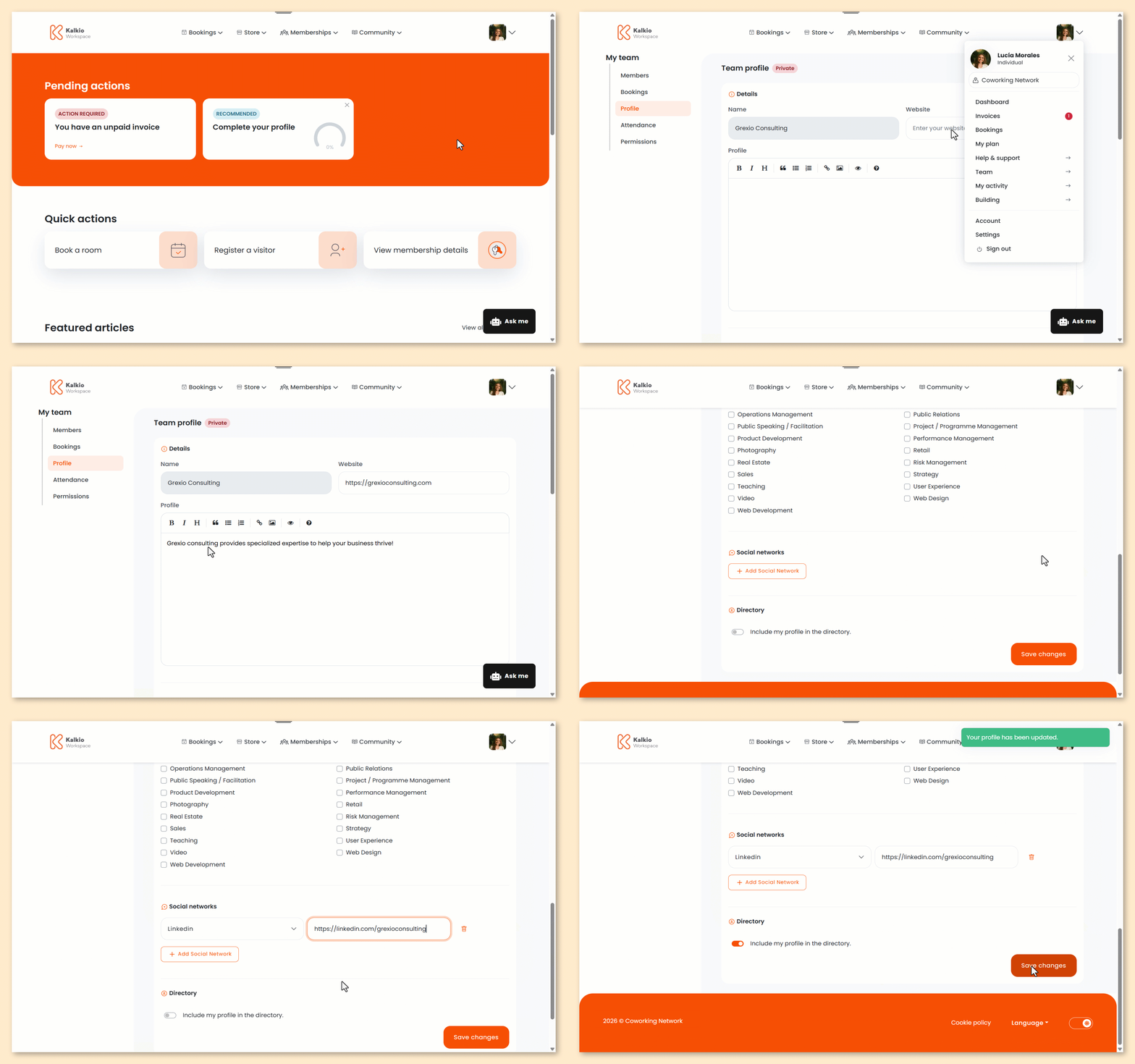
Log in to the Members Portal if you haven't already.
- Click on your icon.
- Select Team
- Select Profile.
- Under Website, add your website URL.
- Under Profile, add your team's profile.
- Select the Industries your team is a part of.
- Click Add social network if you'd like to add social media links.
- For each social media, Select a network and add a URL.
- Toggle on Include my profile in the directory.
- Click Save changes.
All set! The team's profile has been published. It can be found in the directory under the Companies view.