Potential customers can book a tour of your space directly from the Members Portal.
Customers can also book a tour when submitting a plan enquiry.
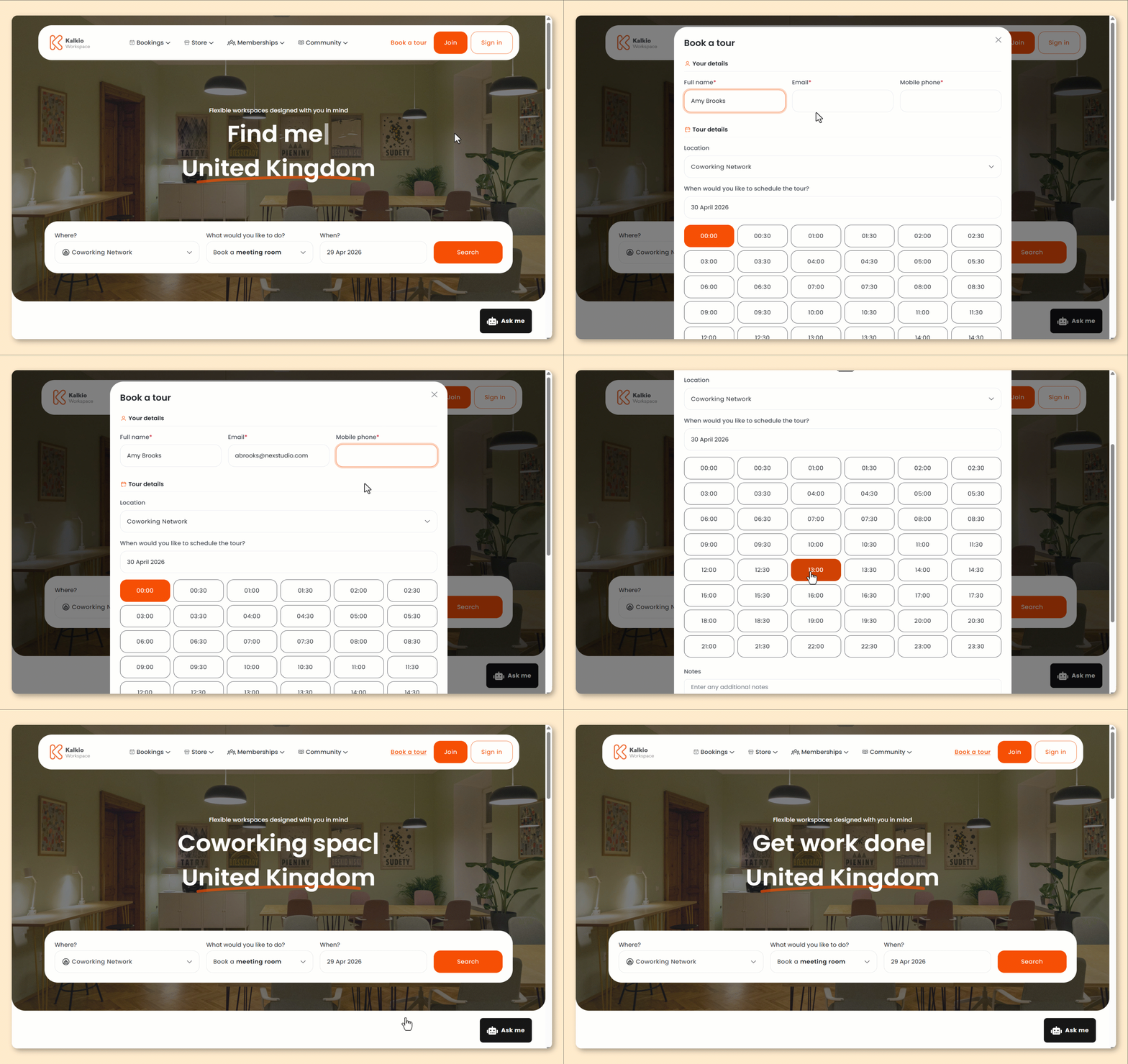
These steps are based on the default version of the Members Portal.
If you've customized your portal or your tour request form, the steps for your customers may be different.
- From the Members Portal home page, click Book a tour.
- Enter your Full name.
- Enter your Email.
- Enter your Mobile phone.
- Under Tour details, select the date and time you'd like to schedule the tour.
- Under Notes, enter any message you'd like to include with your request.
- Click Book tour now.
All set! The customer will receive a confirmation email, and the admin hosting the tours will be notified.
If your space requires admin approval for tour requests, you'll need to approve any tour requests before they're confirmed.
You can see a list of all tour requests by going to Operations > Visitors on the Admin Panel and selecting the Requested tours or Expected tours view.