Customers can submit their proof of address from the Account section of the Members Portal.
Log in to the Members Portal if you haven't already.
- Open the drop-down menu next to your icon.
- Select Account.
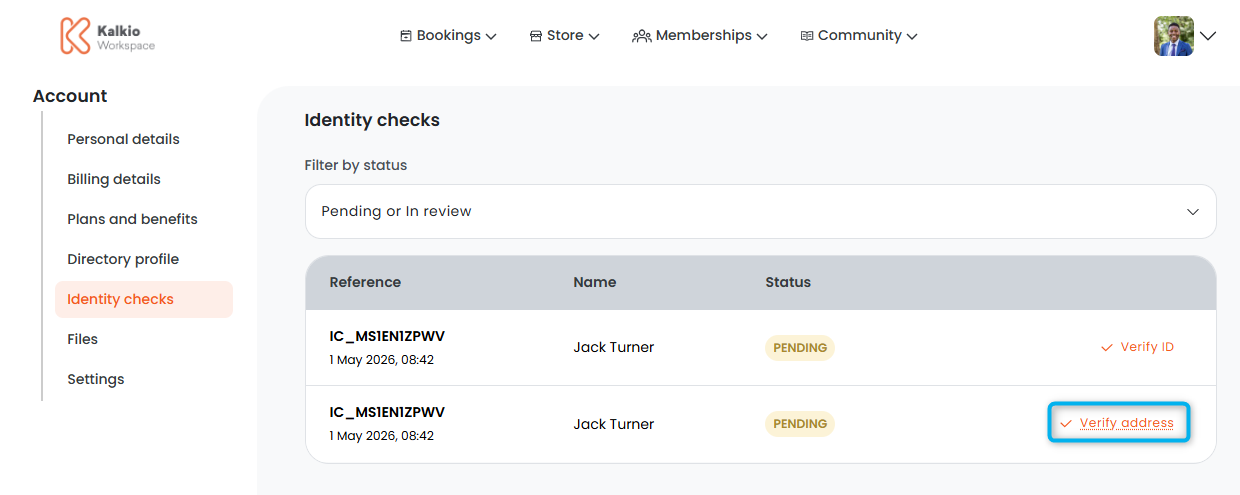
- Select Identity checks.
- Click Verify address.
- Select your Document Type.
- Upload a copy of your document.
- Click Save.
All set! The address check has been submitted.
You'll receive a notification letting you know that a customer has completed their address check. You can manually review their document on the Admin Panel.