You need to create a late cancellation fee product before adding cancellation fees to resources. This product lets you invoice customers for late cancellations.
Because late cancellation fees are defined at the resource level, you can usually create one late cancellation fee product and reuse it for any number of resources. You can create multiple products for each resource or customer group if your accounting requires this level of specificity.
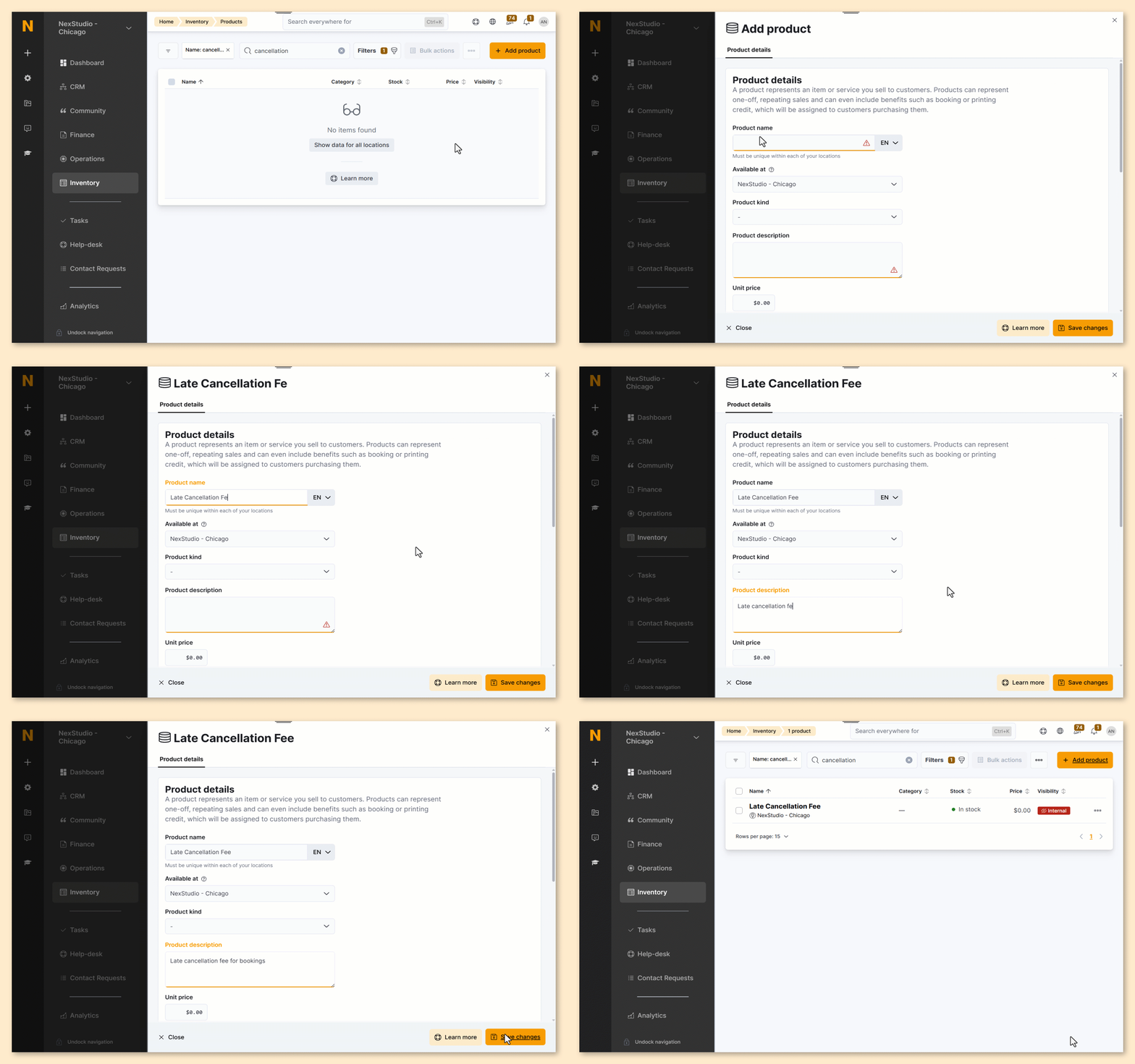
Log in to dashboard.nexudus.com if you aren't already.
- Go to Inventory > Products.
- Click on Add product.
- Select Manual entry.
- Name your product as you want it to show on customer invoices.
- Add a short Product description.
Leave the Unit price at 0.00.
The late cancellation fee is defined at the resource level.
- Add a Financial account and Tax rate if your Invoice and tax settings require it.
Click the Save Changes button.
All set! Your late cancellation fee product has been added to your inventory.
You can now add single and multiple late cancellation fees to resources.