You can automatically charge customers a late cancellation fee when they cancel their bookings too close to their start. Your late cancellation fee can be a percentage of the booking's total price or a flat rate.
Check out Adding Multiple Late Cancellation Fees instead.
-
Log in to dashboard.nexudus.com if you aren't already.
-
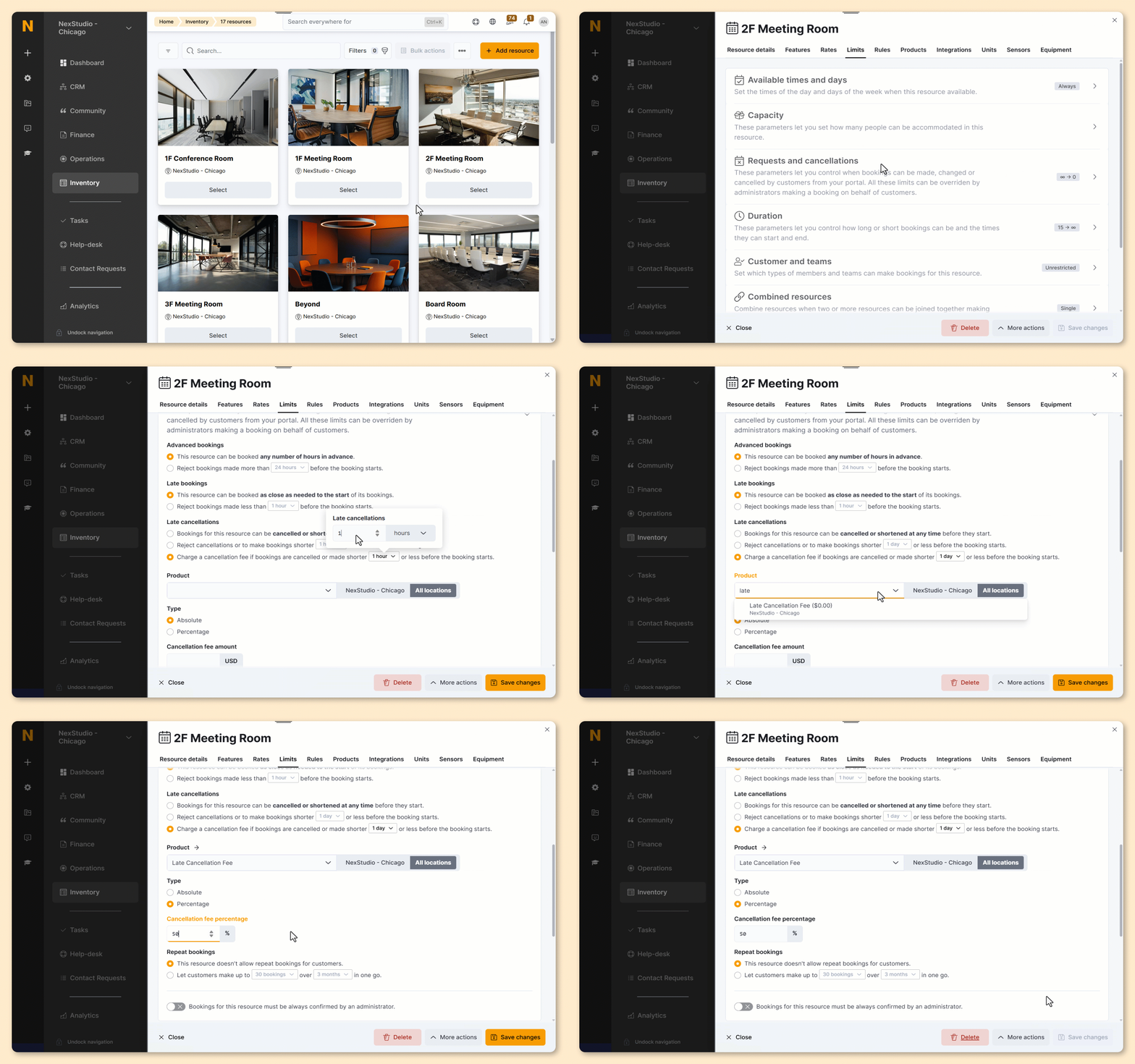
Go to Inventory > Resources.
-
Click on a resource that needs a late cancellation fee.
-
Click on the Limits tab.
-
Click on the Requests and cancellations section.
-
Select Charge a cancellation fee if bookings are cancelled under Late cancellations.
-
Select how far in advance of the booking you'd like to apply the cancellation fee.
- Select the Product you created for late cancellation fees.
- Select the Type of fee you want to apply.
Absolute fees charge a flat rate for cancelled bookings.
Percentage fees charge a percentage of the cancelled booking's price, excluding any product or extra service.
- Define the cancellation percentage or amount based on the option selected in the previous step.
Click the Save Changes button.
Repeat the process for every resource that needs a late cancellation fee.
All set! Customers cancelling their bookings at the last minute will now see a pop-up that lets them know the amount of the late cancellation fee. They can agree to it or keep their booking.
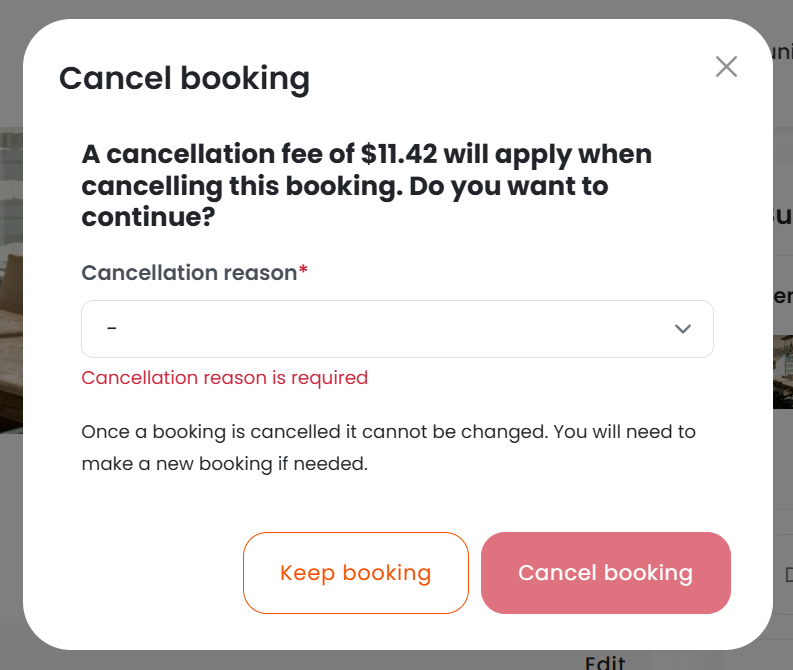
We automatically add the late cancellation fee to the customer's next invoice using the late cancellation fee product you've created and selected.