As an admin, you can check in and out any customer who made a booking and their guests in a few clicks on the Admin Panel.
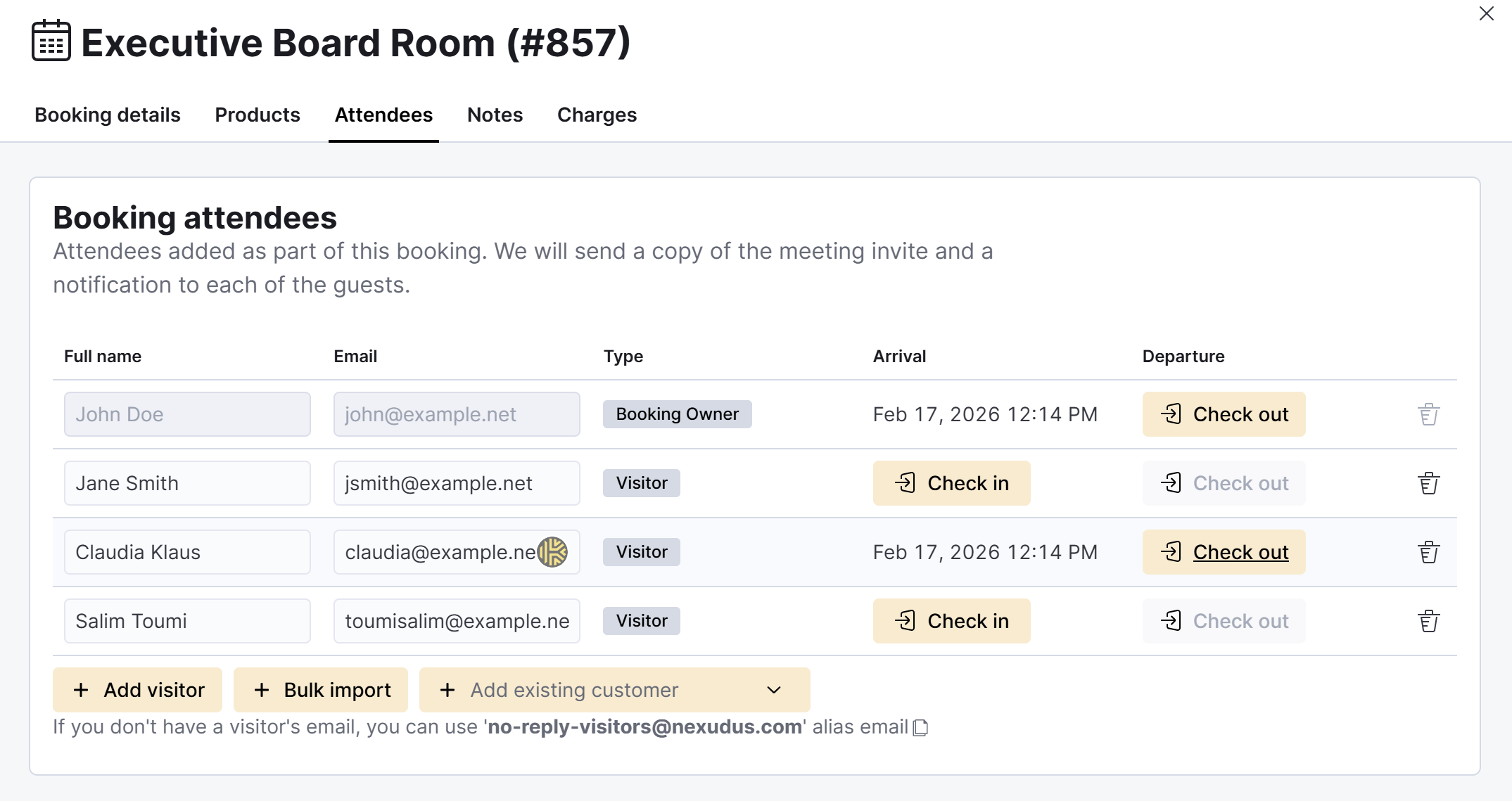
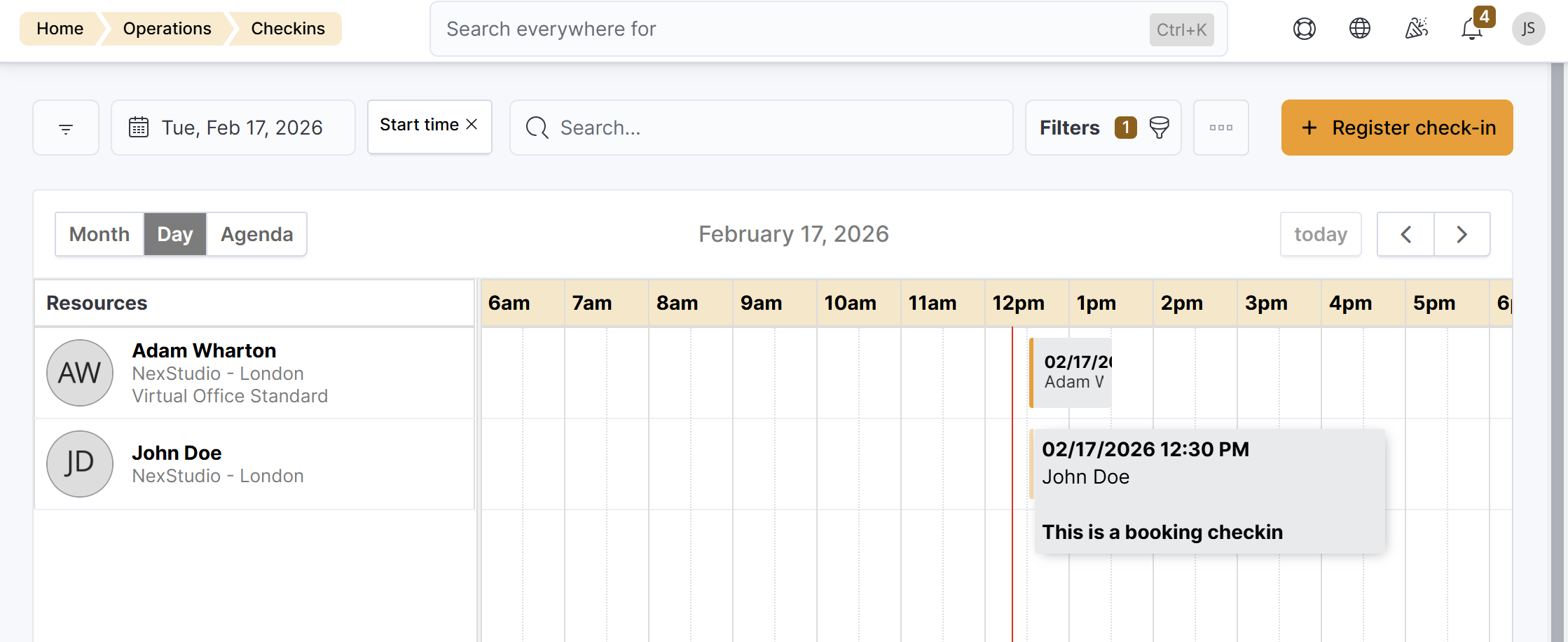
This is a great way to accurately keep track of everyone in your space at all time. Customers checked into a booking show under Operations > Customers on site.
Their guests who are not customers will show under Operations > Visitors.
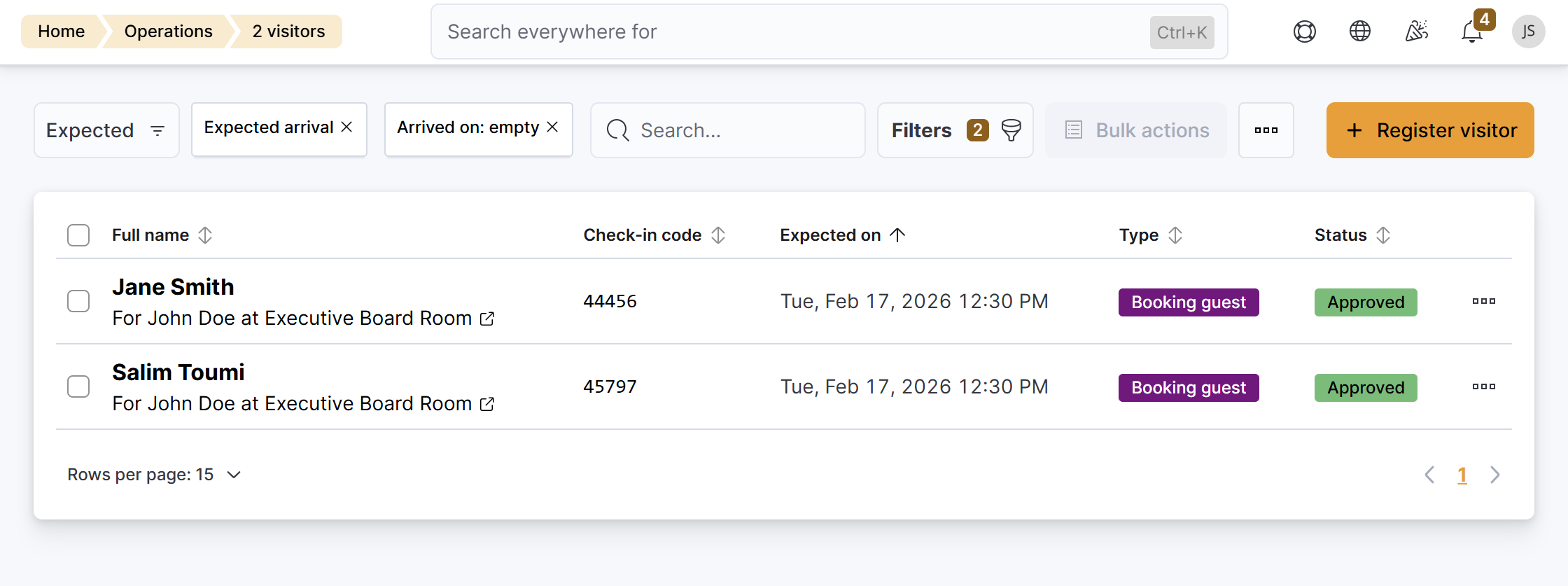
This applies to the customer who made the booking, also known as the booking owner, and any of their guests.
Checking in bookings
Log in to dashboard.nexudus.com if you aren't already.
- Click Operations > Calendar.
- Click on the relevant booking.
- Click on the Attendee tab.
- Click Check in next to every booking attendee you'd like to check in.
Click the Save Changes button.
All set! The selected booking attendees are now checked in. You can check them out at any point.
Checking out bookings
Log in to dashboard.nexudus.com if you aren't already.
- Click Operations > Calendar.
- Click on the relevant booking.
- Click on the Attendee tab.
- Click Check out next to every booking attendee you'd like to check out.
Click the Save Changes button.
All set! The selected booking attendees are now checked out.