What is the Help Desk?
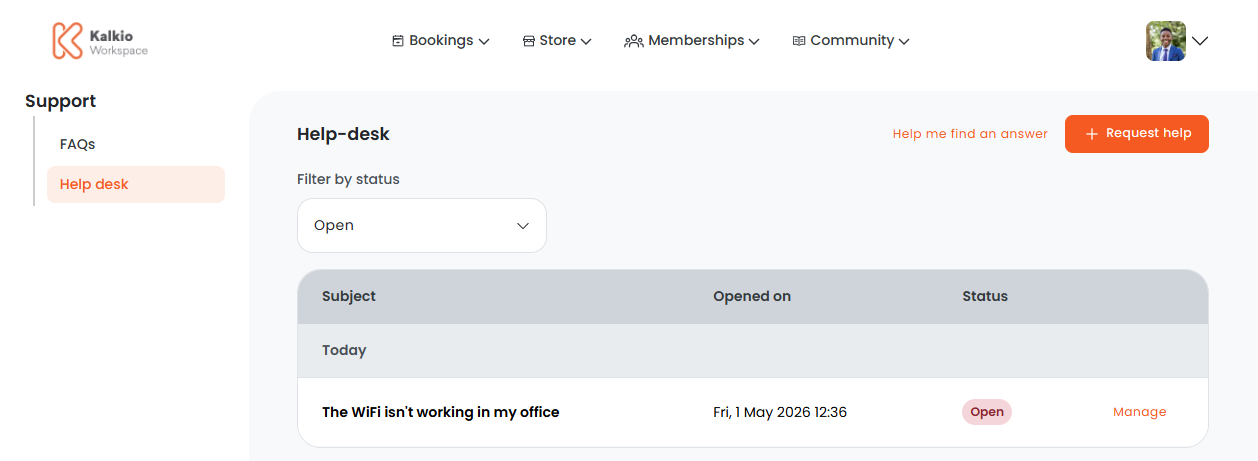
The Help Desk lets customers message you directly with specific questions and urgent issues.
For example, "The WiFi is down in our office. Can you help?"
The help desk lets you quickly respond to customers and manage operations by delegating requests to the right admin.
How does the Help Desk work?
You can add help desk departments on the Admin Panel if you want to categorize the requests you receive and delegate them to specific admins.
For example, you can have one department for Events and another for Finance.
You'll need to designate at least one admin as a department manager. Admins designated as department managers will receive an email notification when a request is submitted to their department.
Admins can respond to requests directly from the Admin Panel when customers submit help desk requests.
Enabling the Help Desk
The Help Desk section isn't available by default. You can enable it by going to Settings > Website > Features on the Admin Panel and toggling on Enable the help-desk section.
You can define which customers can access your Help Desk section from Settings > Website > Access on the Admin Panel. You can restrict the Help Desk section to the following customer groups:
- logged-in users: customers with an account
- members only: customers with an active contract in Nexudus
- contacts only: customers who don't currently have an active contract in Nexudus
Make sure you also set up help desk departments and designated admins as department managers if you want to delegate who responds to different types of requests.
Once you've enabled your help desk section and defined your settings, customers can submit help desk requests on the Members Portal.