Customers can easily submit help desk requests from the Help & support section of the Members Portal.
Log in to the Members Portal if you haven't already.
- Open the drop-down menu next to your icon.
- Click Help & support.
- Click Help desk.
- Click Request help.
- Select a Department.
You can add help desk departments on the Admin Panel.
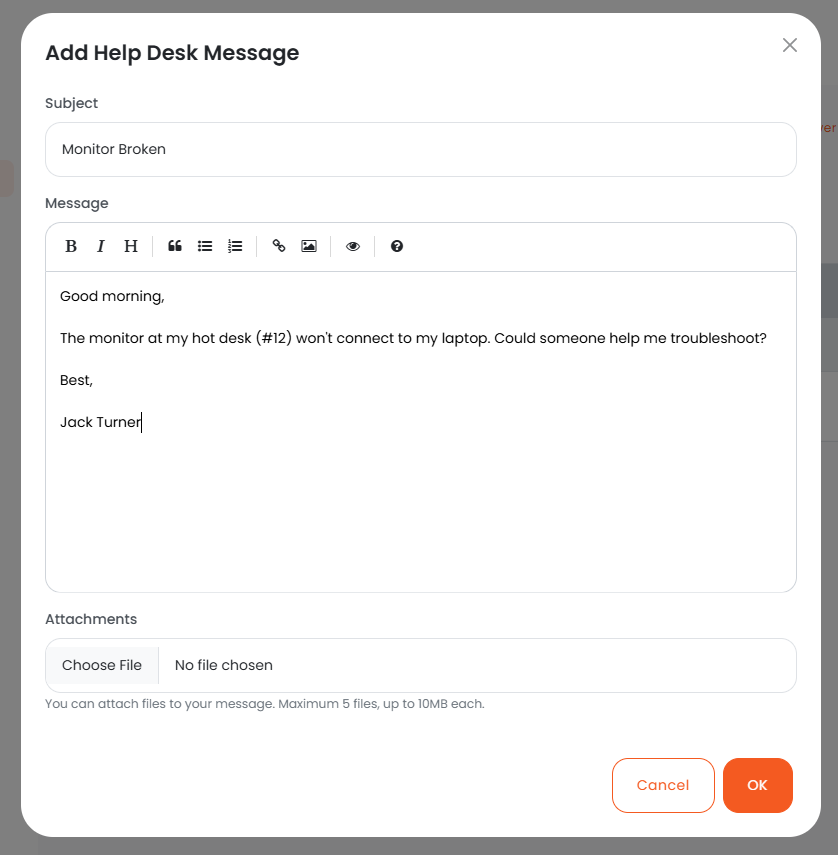
- Add a Subject.
- Add a Message.
- Add any Attachments if necessary.
- Click OK.
All set! The help-desk request has been submitted.
Admins designated as help desk mangers will receive an email notification when a customer submits a help desk request to their department. They can respond from the Help Desk section on the Admin Panel.
Customers will receive an email notification when you respond to their help desk request and can continue the conversation from the Help Desk section of the Members Portal.