Customers can easily register visitors with your space on the Passport app. They can register visitors on a one-time or repeat basis.
For example, a customer wants to collaborate with a colleague who isn't a member of your space.
Customers can also reinvite visitors and cancel visits.
Check out Limiting Visitor Registrations.
Registering Visitors
Customers can easily register visitors with your space on the Passport app.
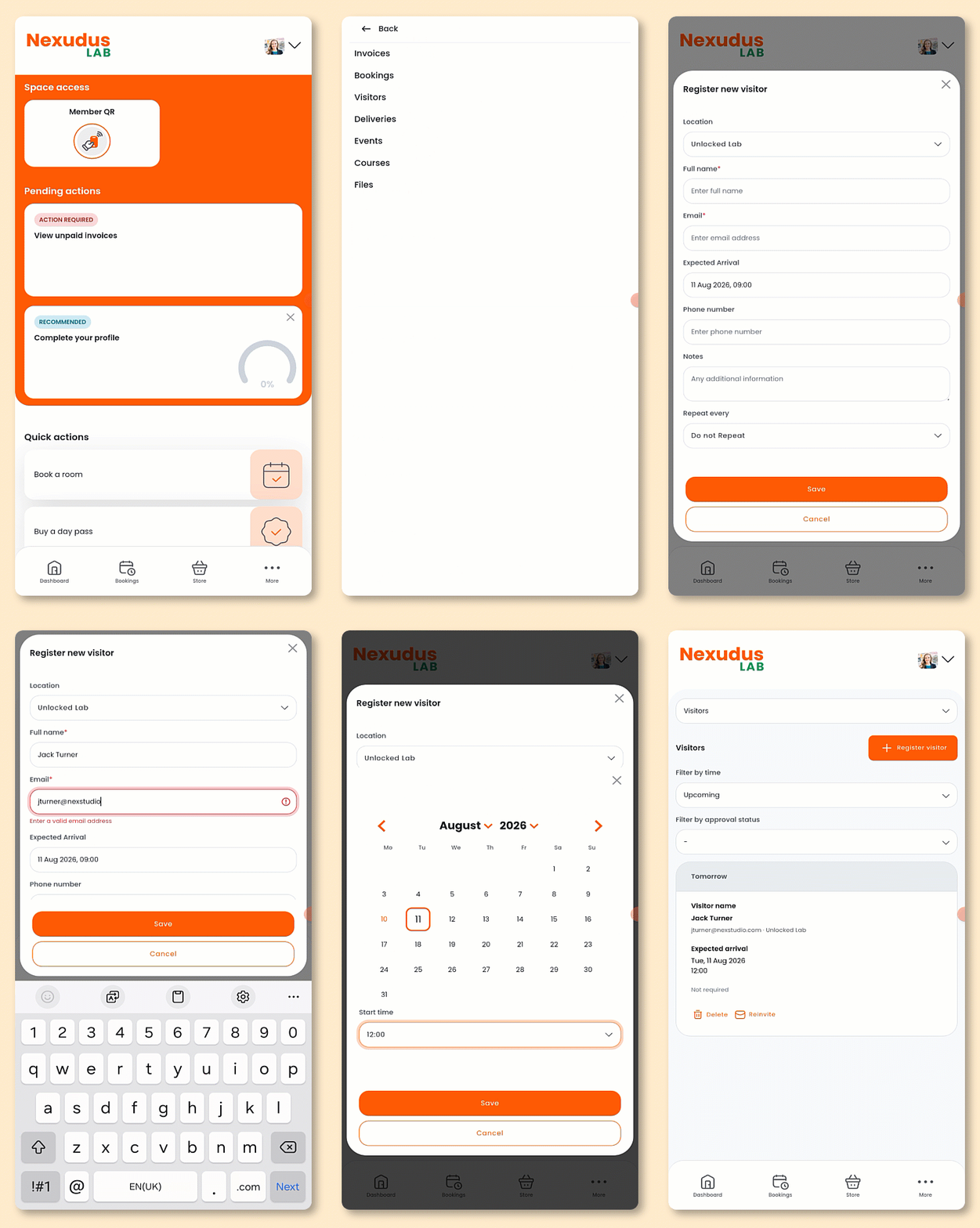
Open the Passport app if you haven't already.
Tap your icon to open the drop-down menu.
- Tap My activity.
- Tap Visitors.
- Tap Register visitor.
- Add your visitor's Full name
- Add your visitor's Email
- Add your visitor's Expected Arrival time
- Add your visitor's Phone Number if needed.
- Add Notes if needed.
- If this is a Repeat visit, select how often it will repeat.
- Tap Save.
All set! The visitor will receive an email with the details of their visit.
You'll receive a notification that a visitor has been registered. You can view a list of all visitors to your space on the Admin Panel under Operations > Visitors.
Reinviting Visitors
Customers can easily reinvite visitors without filling in their details from scratch.
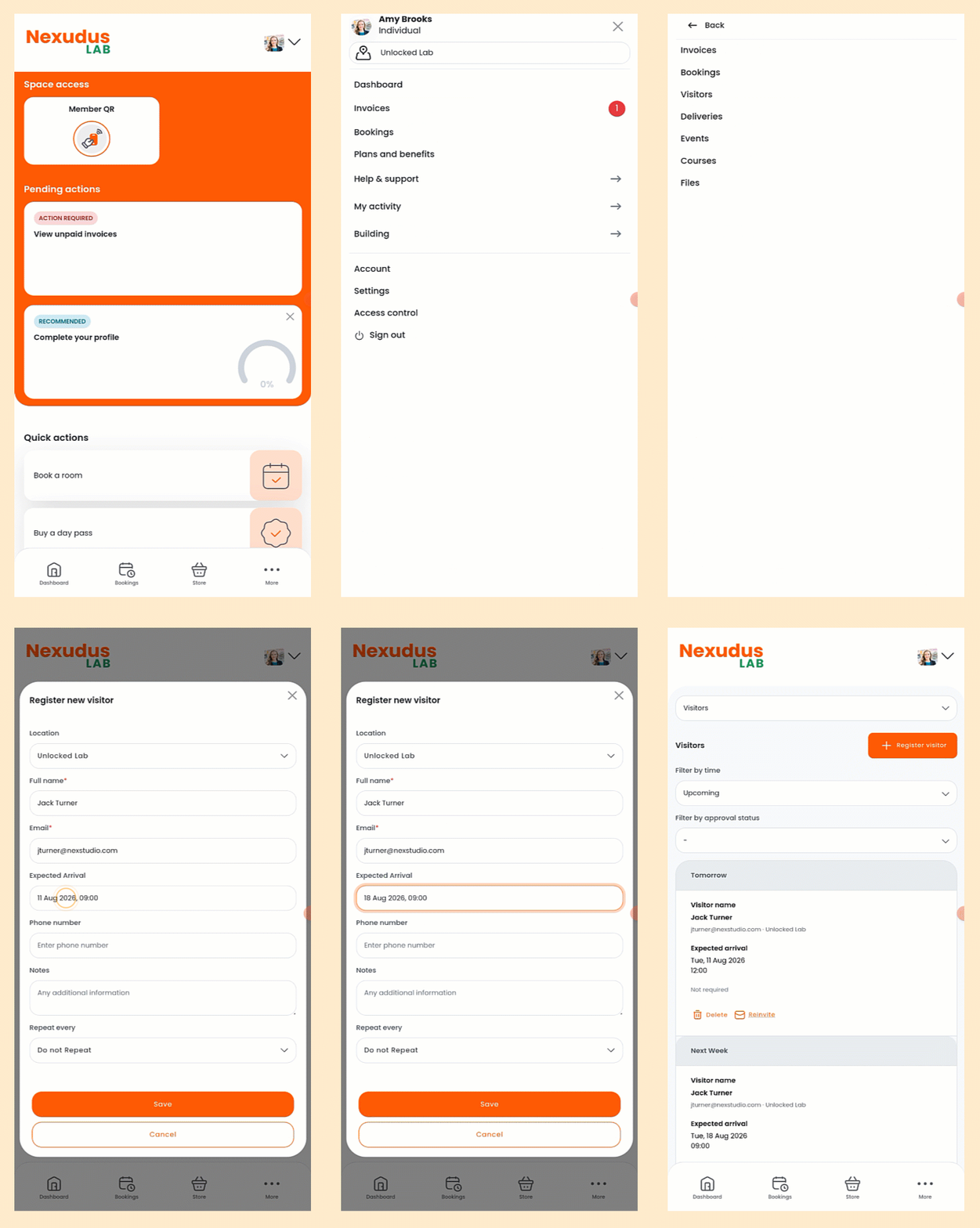
Open the Passport app if you haven't already.
Tap your icon to open the drop-down menu.
- Tap My activity.
- Tap Visitors.
You can filter them by Completed if you want to reinvite a visitor who has already visited your space.
- Tap Reinvite next to the relevant visitor.
- Edit their Expected Arrival time.
- Edit any other details as needed.
- Tap Save.
All set! The visitor will receive an email with the details of their visit.
You'll receive an email notification that a visitor has been registered. You can view a list of all visitors to your space on the Admin Panel under Operations > Visitors.
Cancelling Visits
Customers can easily cancel visits if plans change or their visitor can no longer make the appointment.
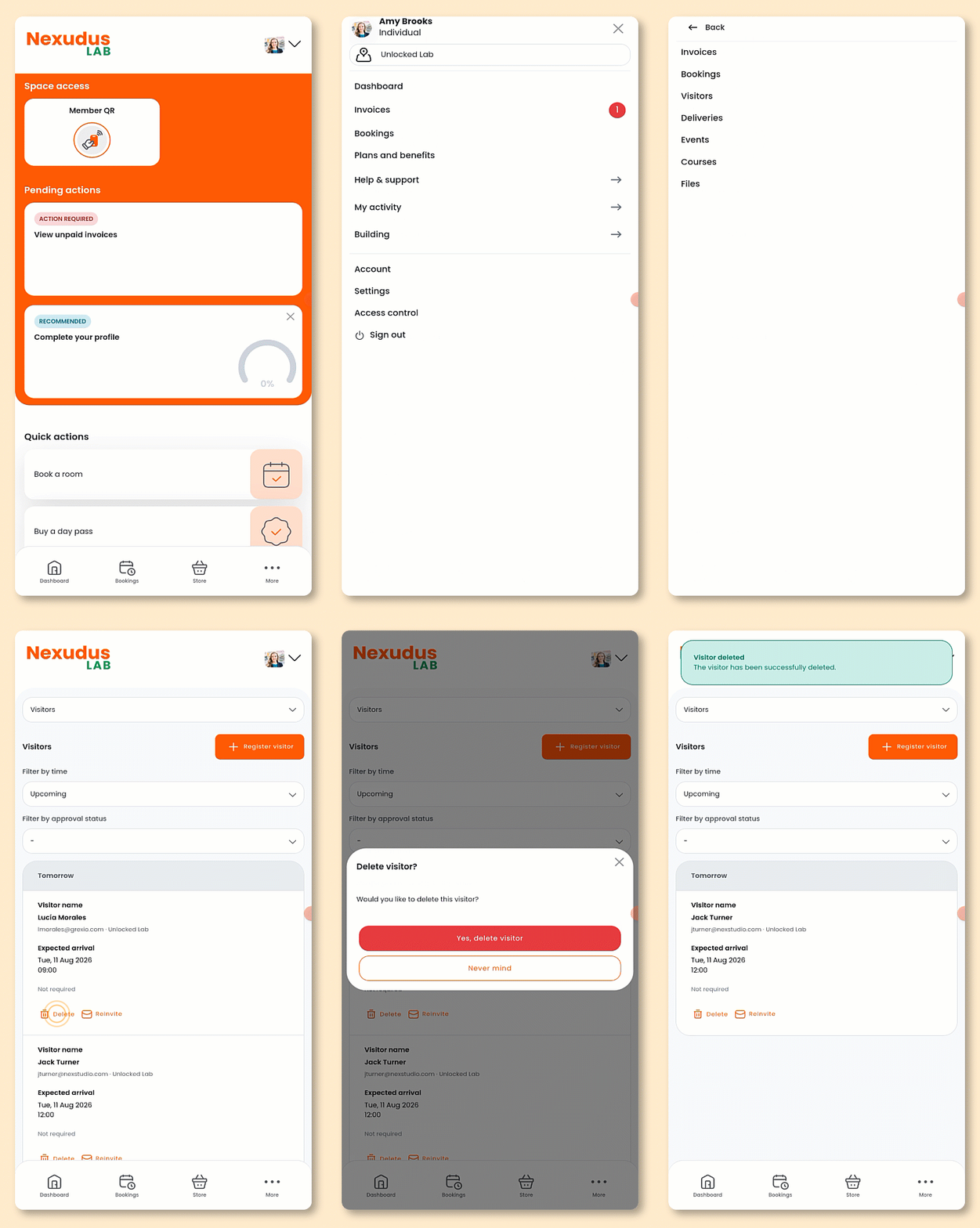
Open the Passport app if you haven't already.
Tap your icon to open the drop-down menu.
- Tap My activity.
- Tap Visitors.
- Tap Delete on the visit you'd like to cancel.
- Tap Yes, delete visitor.
All set! The visit has been cancelled.