Customers can edit their bookings from the My Activity section of the Members Portal.
If you've enabled admin confirmation for bookings, you'll need to approve any edits before they're confirmed.
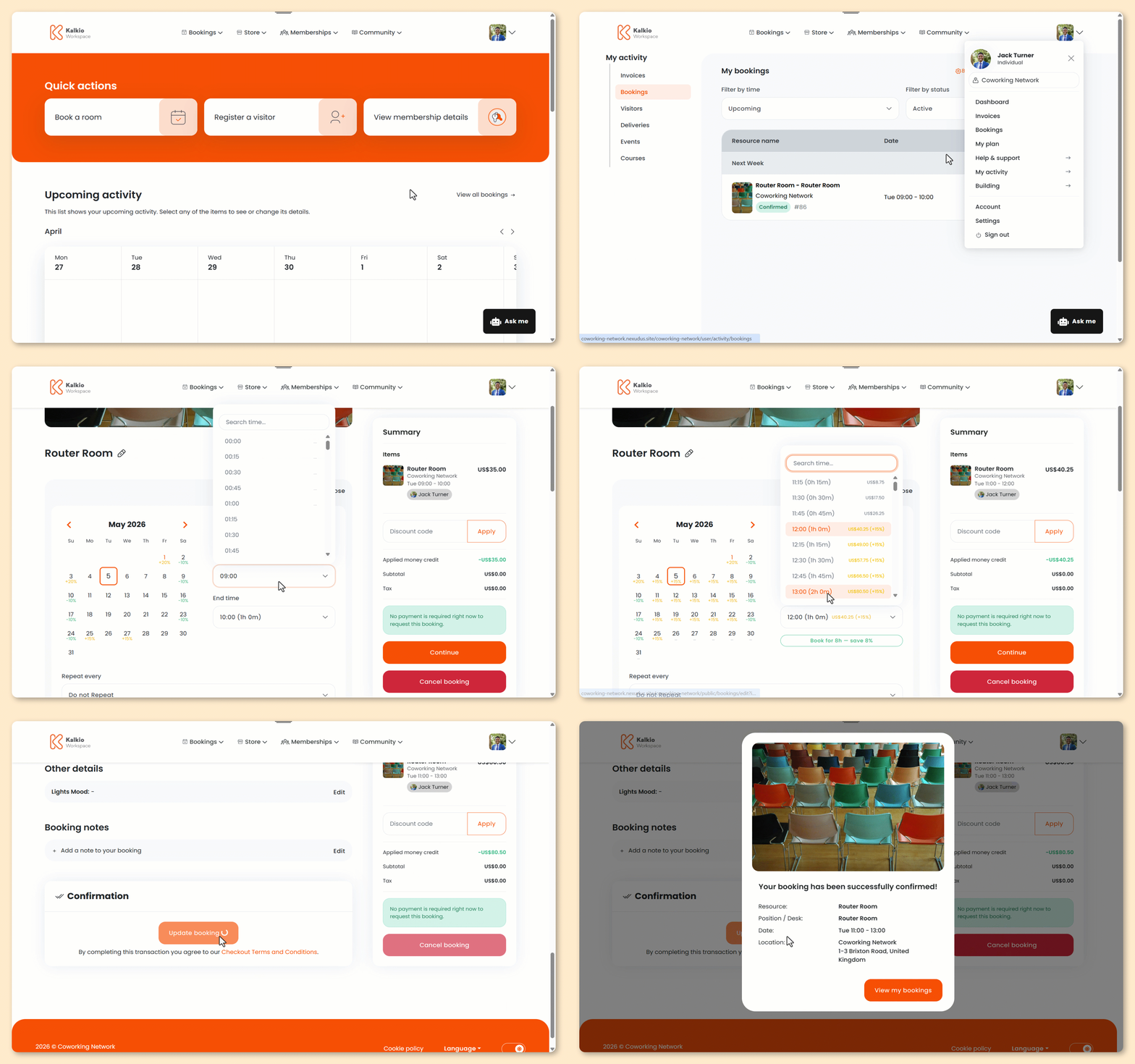
Log in to the Members Portal if you haven't already.
- Open the drop-down menu next to your icon and select My Activity.
- Select Bookings.
- Click Modify next to the booking you'd like to edit.
- Edit your booking as needed.
- Click Update booking.
All set! The booking has been updated.
If your space requires admin approval, you'll need to approve the changes before they're confirmed.
Customers will also receive a confirmation email with their updated booking details.