Customers can freeze their plans from the Account section of the Members Portal. Plan freezing lets customers pause their plan for a number of billing cycles without cancelling.
For example, a customer wants to freeze their plan to travel for a few months.
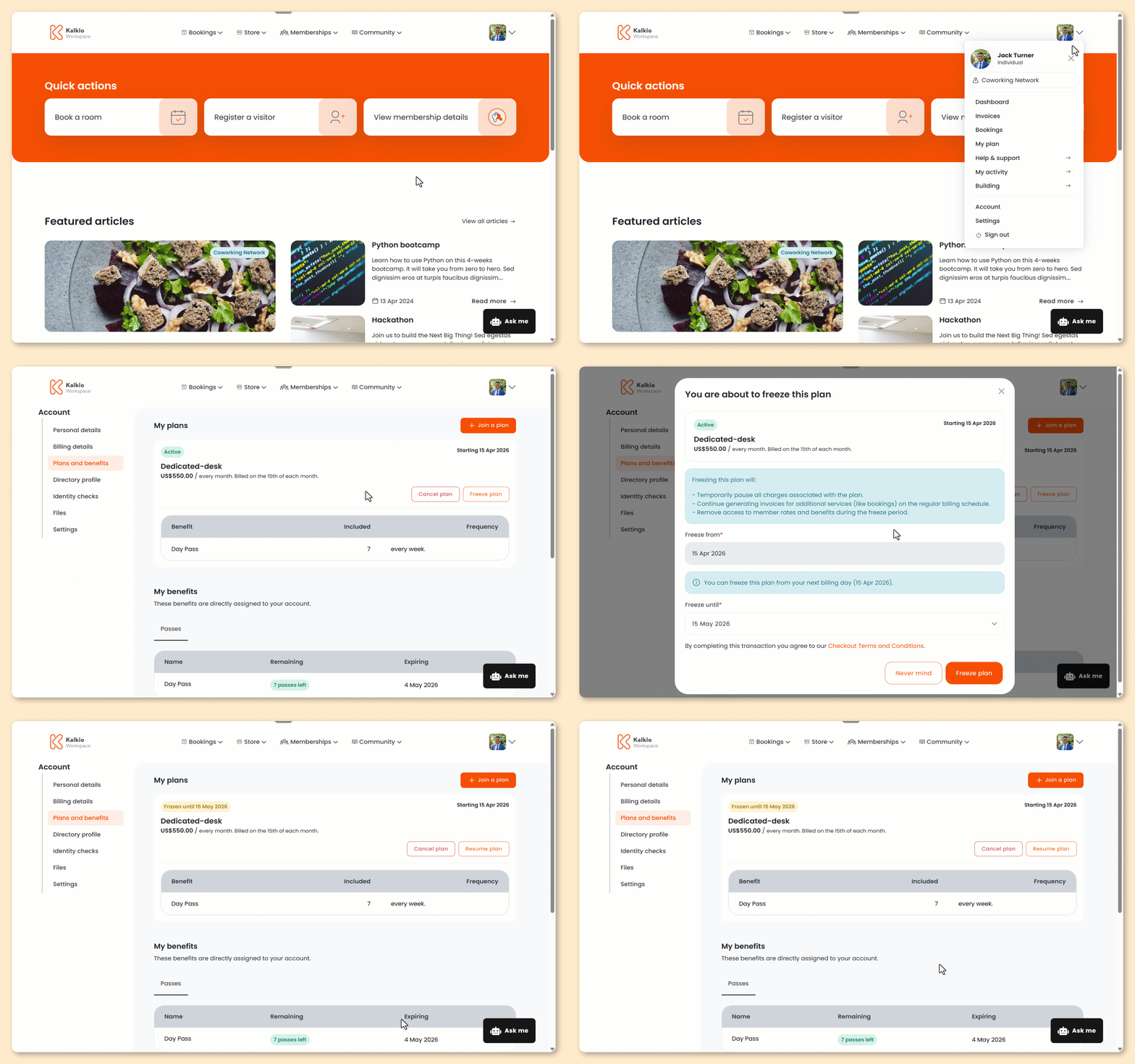
Log in to the Members Portal if you haven't already.
- Open the drop-down menu next to your icon.
- Select My plan.
- Click Freeze plan.
- Under Freeze from, select the date you'd like to freeze your plan.
The freeze start date is always the first day of your next billing cycle.
- Under Freeze until, select when you'd like to resume your plan.
The freeze end date is always the first day of the billing cycle when you want to restart your plan.
- Click Freeze plan.
All set! Your plan has been frozen. You can resume your plan from the Members Portal.