Team administrators can onboard team members in just a few clicks on the Members Portal.
You can add up to 25 team members at a time.
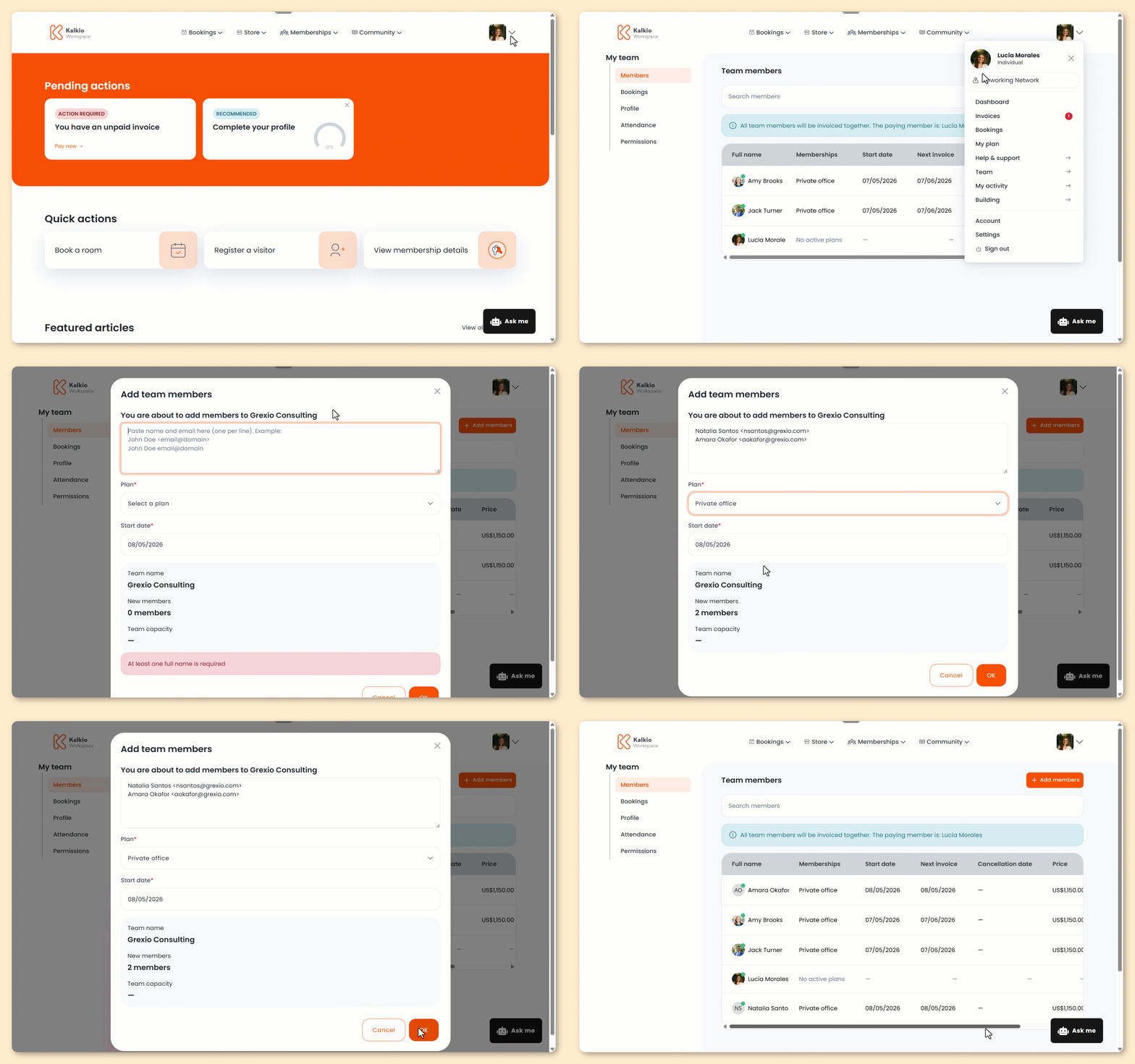
Log in to the Members Portal if you haven't already.
- Click on your icon.
- Select Team.
- Select Members.
- Click Add members.
- Under You are about to add members, add each new member's full name and email address.
Make sure each member is on a separate line.
✅ Correct Format

❌ Incorrect Format

- Select the Plan your new team members will be joining.
If you want to add team members without signing them up to a plan, you can ask an admin to onboard them for you.
- Select your team members' Start date.
You can't select the current or past dates as your team members' contract start date.
- Click OK.
All set! The new team members will receive an email notification with their Members Portal log in information.