Customers can access their team details from the Team section of the Members Portal. They can access this section by clicking on their icon and selecting Team from the drop-down menu.
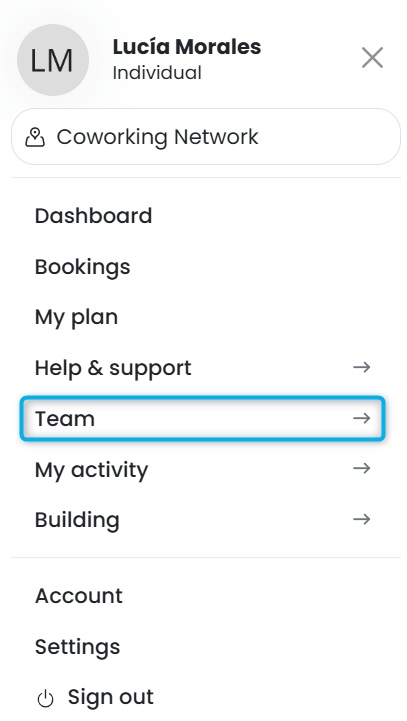
All team members have access to the Members, Bookings, and Attendance views. Only team administrators have access to the Profile and Permissions views.
Members
All team members have access to the Members view of the Teams section. The Members view lists all members of the team.
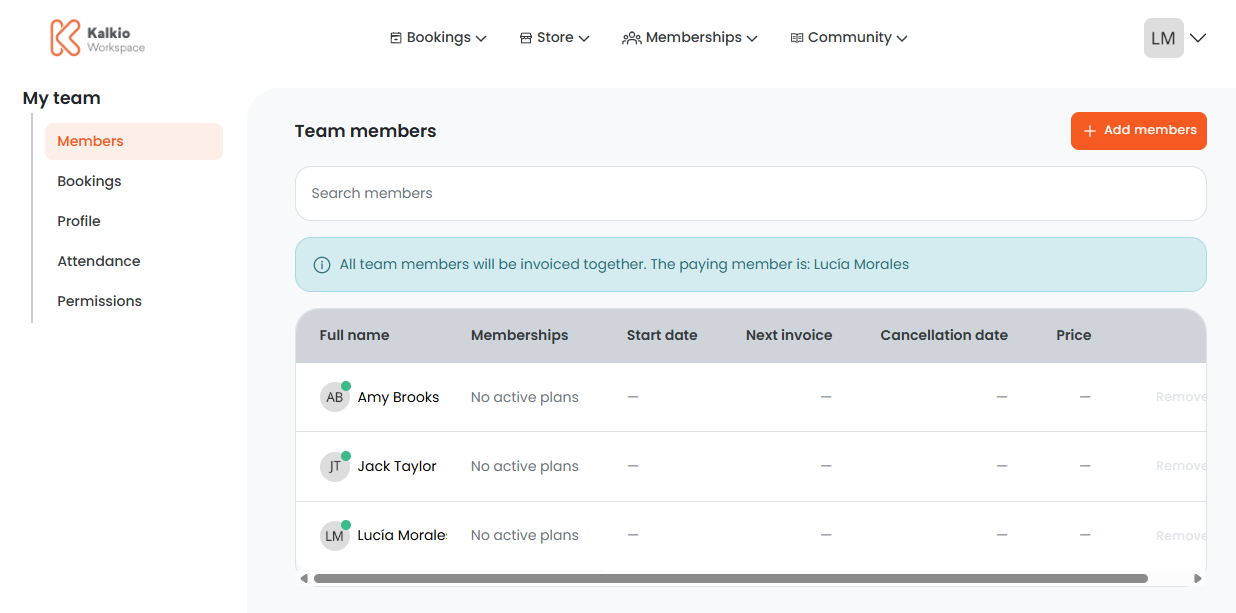
Team administrators can also onboard and offboard team members from this view.
Bookings
All team members have access to the Bookings view of the Teams section. The Bookings view lists all bookings made by team members.
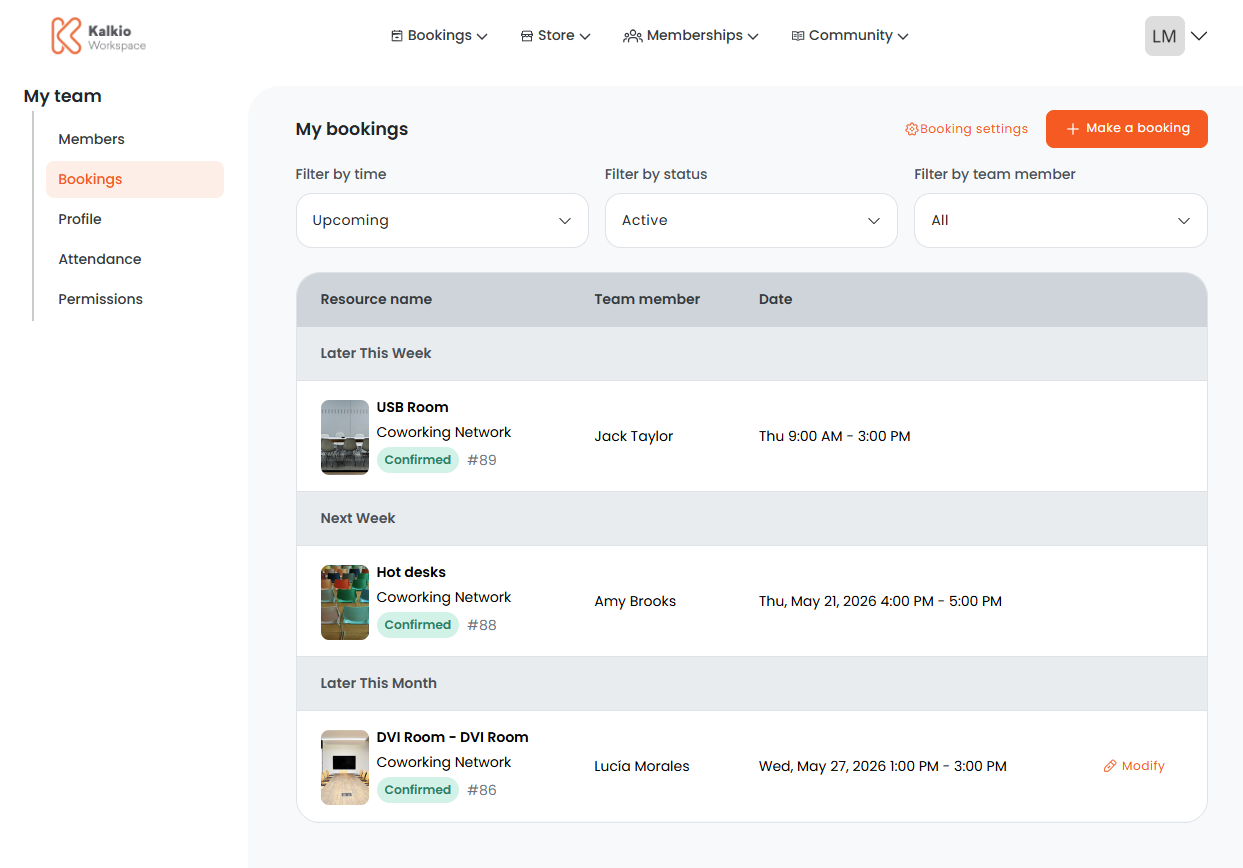
Team members with booking permissions enabled can make bookings for themselves and for other team members.
Profile
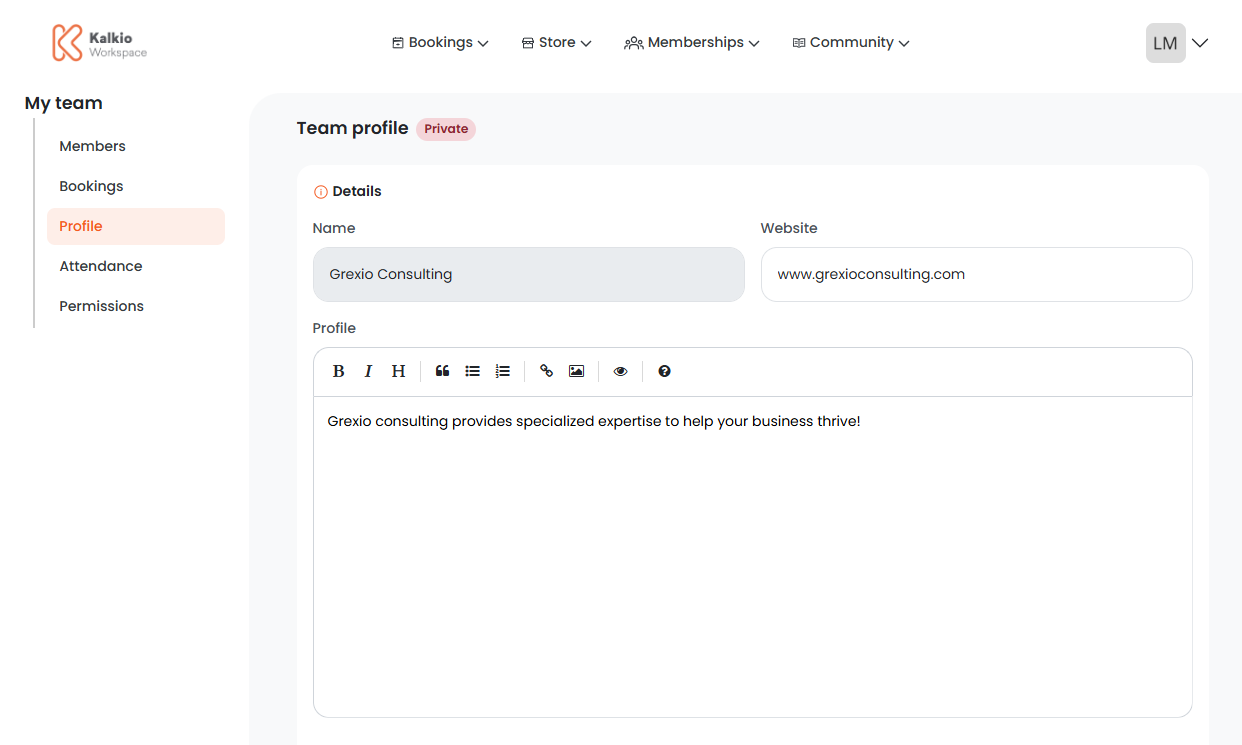
The Profile view lets team administrators create a profile for their team and publish it in the Members Portal directory.
Attendance
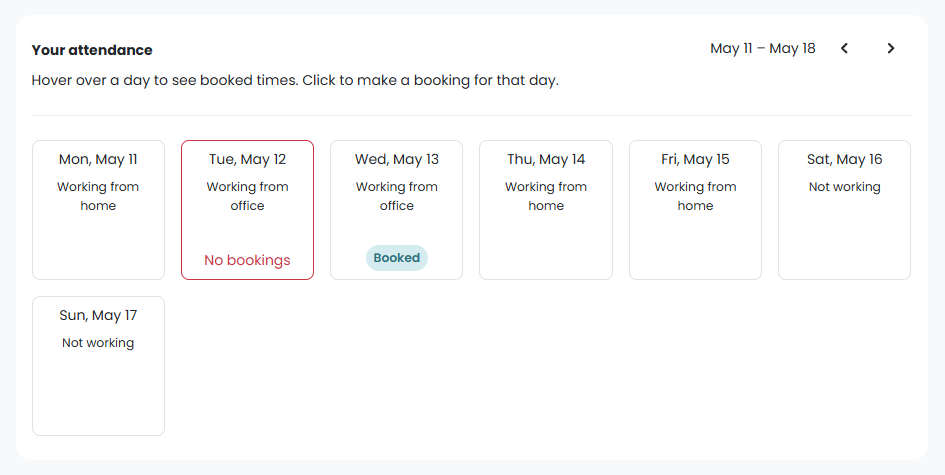
All team members have access to the Attendance view of the Teams section. The Attendance view lets customers see individual and team attendance.
Team members can see their own attendance and make bookings if necessary for days they'll be in the office.
They can also see the attendance of other team members.
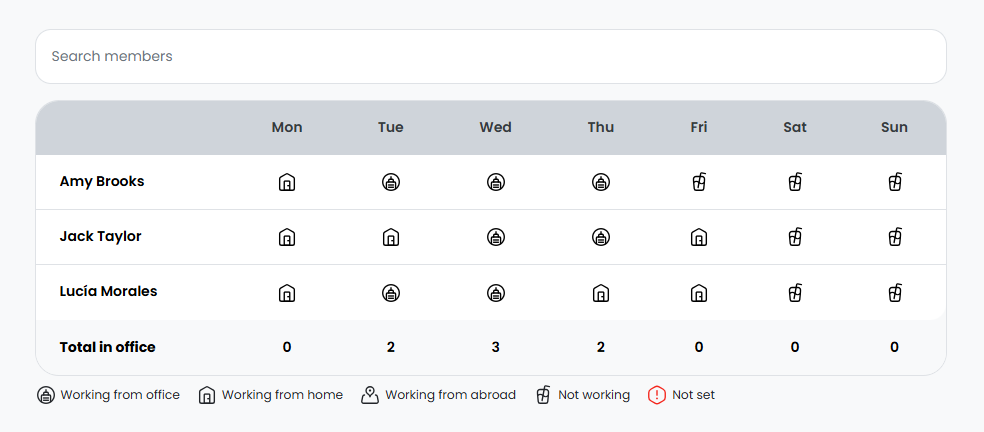
Team administrators can also manage team attendance from this view.
Permissions
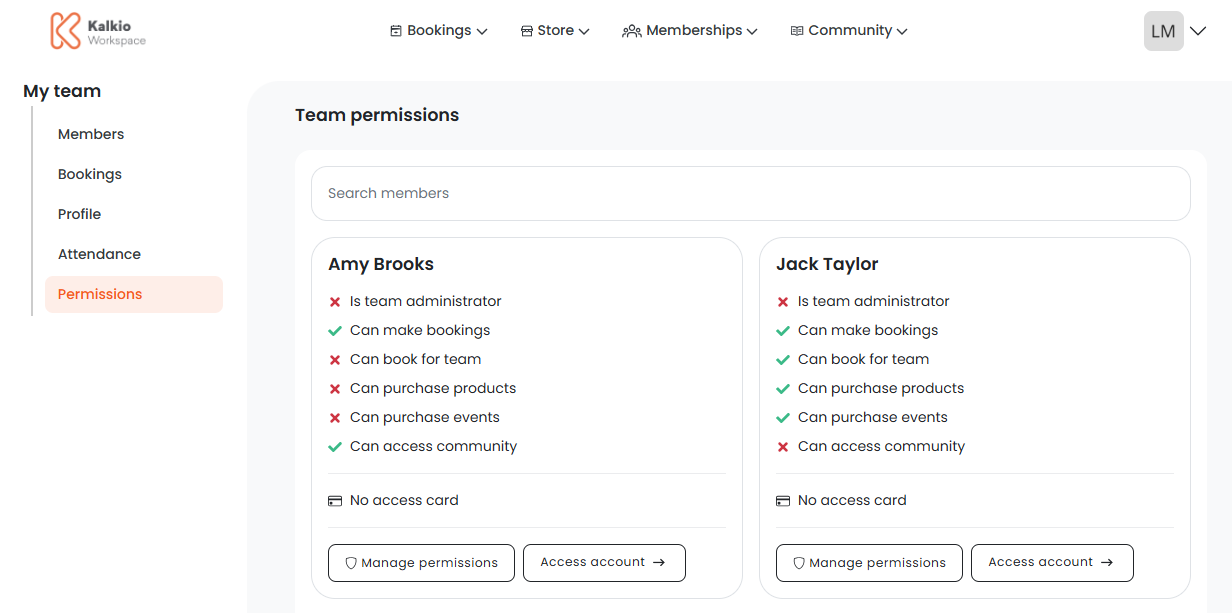
The Permissions view lets team administrators manage the permissions of other team members. They can also access other team members' accounts from this view.