Customers can easily purchase event tickets on the Members Portal.
You'll need to create and publish tickets for your event to let customers purchase them on the Members Portal.
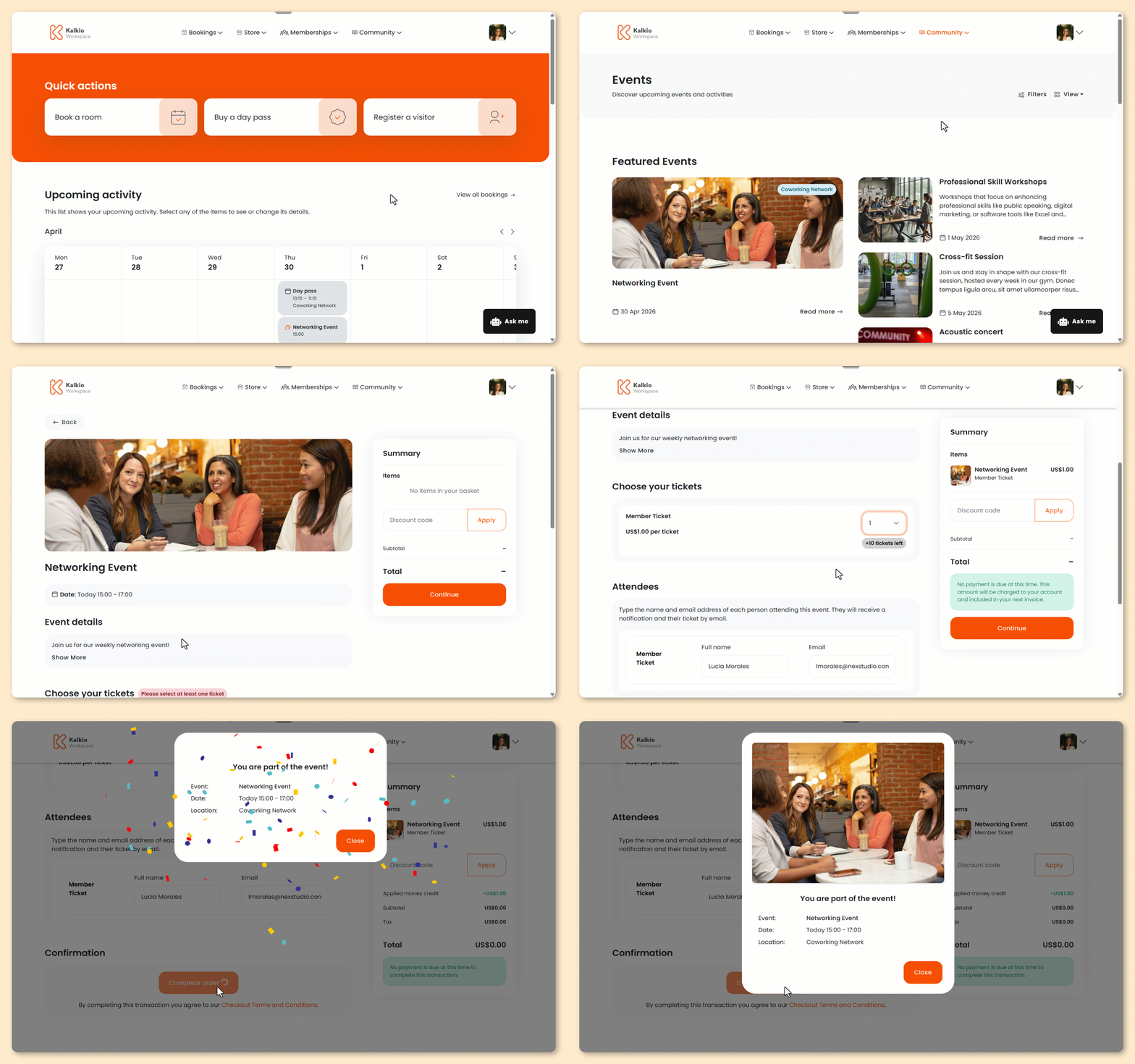
These steps are based on the default version of the Members Portal.
If you've customized your portal, the steps for your customers may be different.
- Click on the Community tab from anywhere on the Members Portal.
- Select Events.
- Select the event you'd like to attend.
- Click Get tickets.
- Select the number of tickets you'd like to purchase.
- Enter the Full name and Email of each attendee.
- Add payment details if necessary.
You'll only need to add payment details here if:
- you're using guest checkout
- you're a logged-in user without payment details on file
If you plan to add more items to your cart, you can wait to add your payment details until you're ready to check out.
- Click Submit payment to check out or Add to cart if you'd like to add more items before checking out.
Adding a ticket to your cart?
Your ticket will remain in your cart for 30 minutes and won't be reserved until you check out.
If it sells out, you'll need to remove it from your cart before completing your purchase.
All set! Event attendees will receive a confirmation email with their ticket.
Customers can also manage their tickets on the Members Portal.