Passport Version 5 will begin a phased release mid-August 2026.
Customers can purchase products from the Passport app in a few taps.
For example, customers can purchase a day pass bundle before visiting your space.
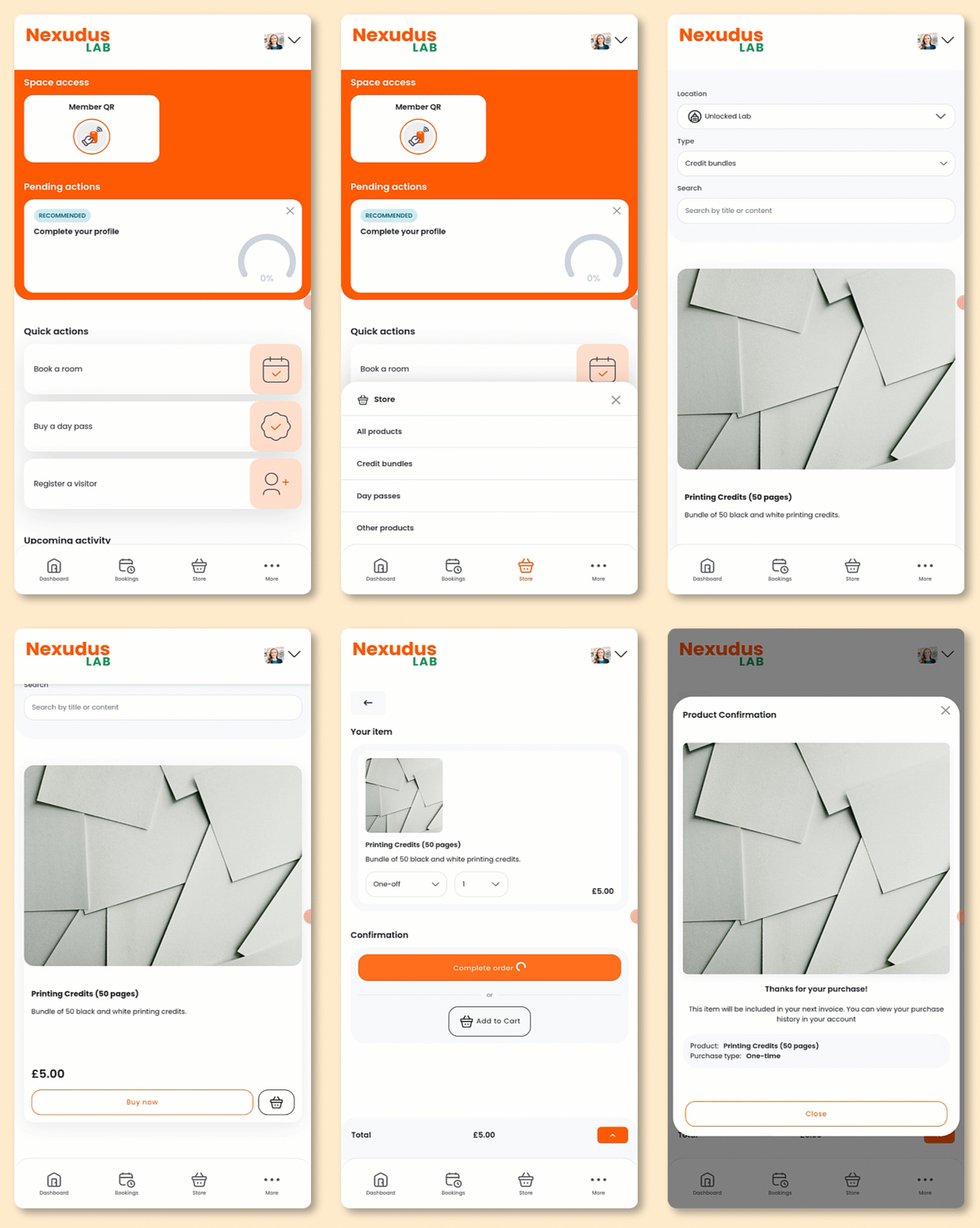
Open the Passport app if you haven't already.
- Select Store from the navigation bar.
- Select the kind of product you'd like to purchase
Products are sorted by kinds in the Passport app and Members Portal 5.
Make sure all your products have kinds.
To define a product kind, open the product record and select a kind from the drop-down menu.
- Tap Buy now under the product you'd like to purchase.
- Select whether you'd like to make the purchase as one-off or recurring.
- Select the Quantity.
- Add your Payment details if necessary.
Planning to add more items to your cart?
You can wait to add your payment details until you're ready to check out.
- Click Complete purchase to check out immediately or Add to cart if you'd like to add more items before checking out.
Adding a product to your cart?
Your product will remain in your cart for 30 minutes and won't be reserved until you check out.
If it sells out, you'll need to remove it from your cart before completing your purchase.
All set!
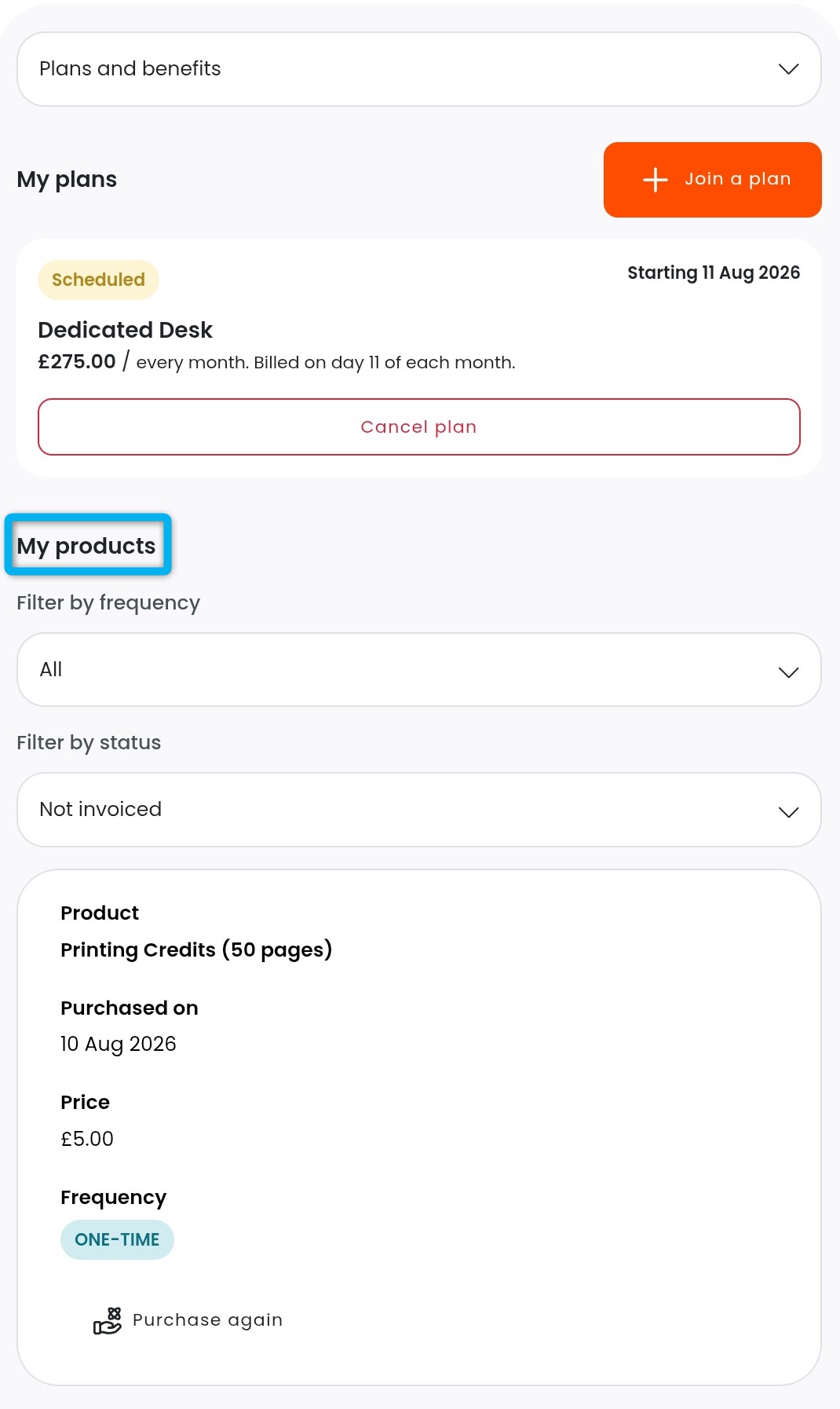
Customers can view their purchased products by tapping Plans and benefits from the icon drop-down menu and scrolling down to My products.