What are bookings?
The Bookings section lets customers reserve resources in your space. Customers can also customize their bookings by inviting guests and adding products.
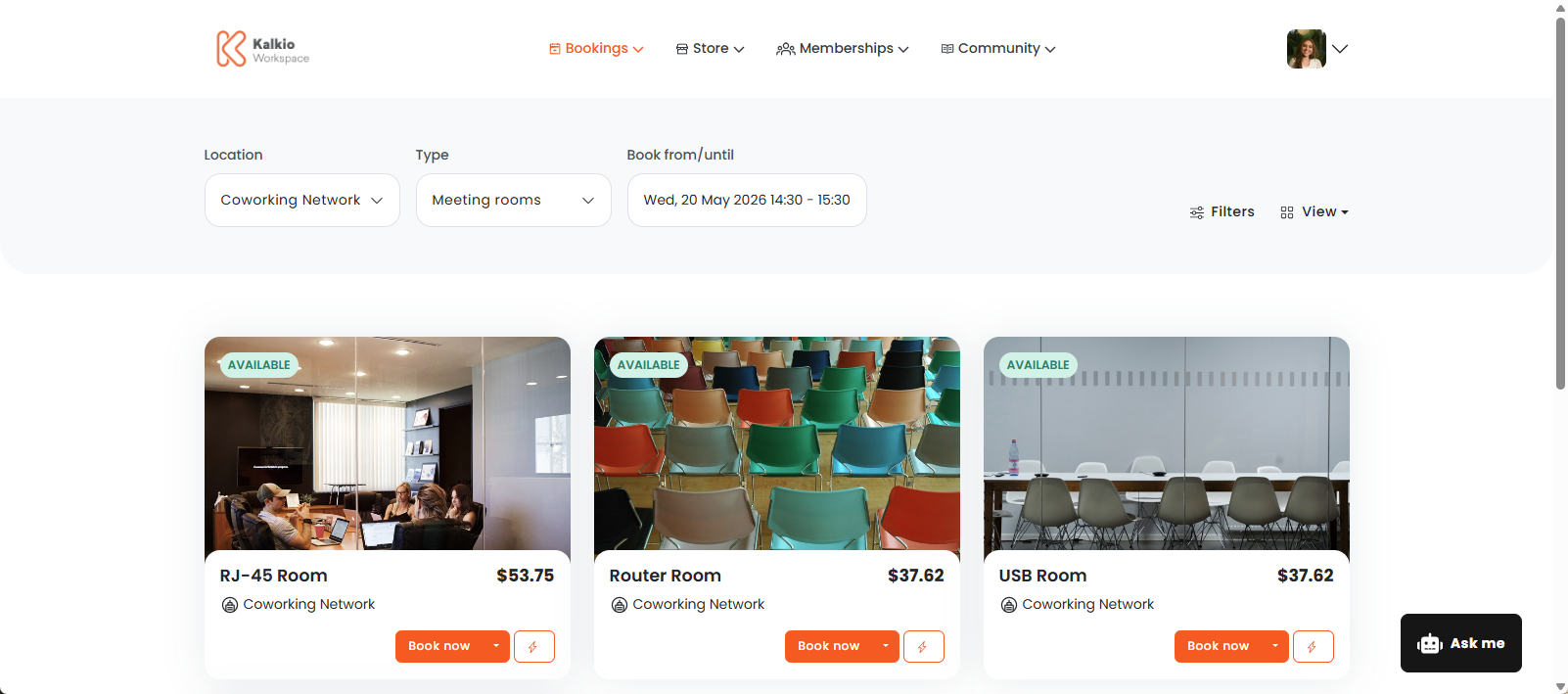
How do bookings work?
You can make any resources in your space available on the Members Portal for customers to book.
Customers have several ways to book on the Members Portal.
- Standard bookings let customers choose resources from four different views, letting them easily choose the resource that best suits their needs.
- AI-Assisted bookings let customers ask our friendly chatbot to quickly draft a booking on their behalf.
You can also enable guest bookings to let users make bookings in your space without the hassle of creating an account.
Customers with an account can enable predicted bookings to get suggested bookings right on their dashboard. They can also manage their bookings directly from the Members Portal.
The Bookings section is available on the Members Portal by default. You can't disable the Bookings section, but you can define which customers have access. You'll also need to customize other booking settings.
Setting up bookings
We recommend treating these steps as an audit for your space. You can also make sure you're taking advantage of all the new features added in Version 5
To set up the Bookings section, you'll need to decide which customer groups have access. You'll also need to define certain settings such as:
- when customers pay for bookings
- whether booking requests need admin approval
- what notifications customers receive about their bookings.
Once you've defined your settings, you can make resources available on the Members Portal.
For more information, check out Setting up Bookings.