What are discussion boards
Discussion boards let customers communicate with each other on the Members Portal. They can start, follow, and like conversations.
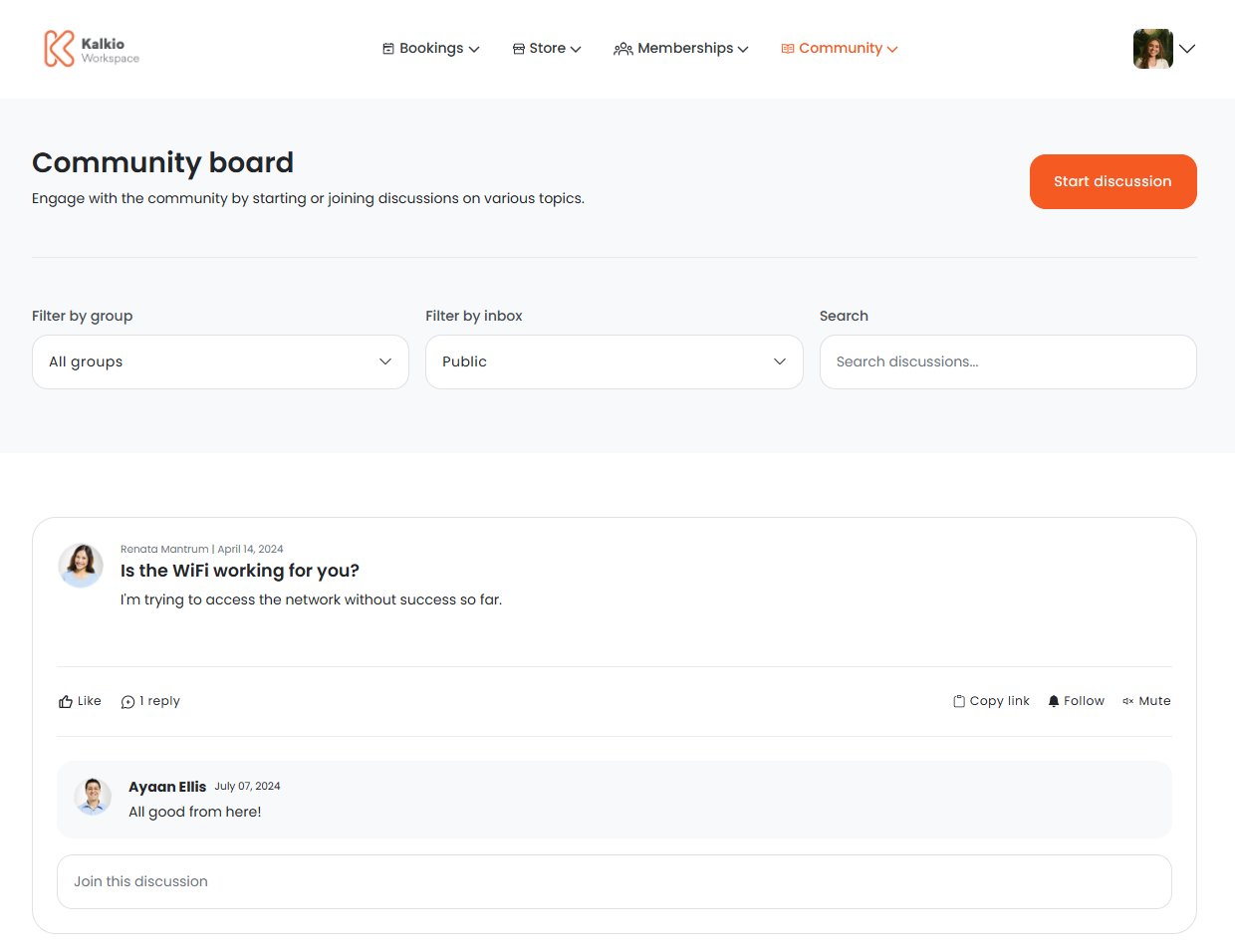
How discussion boards work
You can create groups on the Admin Panel to control who can access specific conversations on the discussion boards. Each group has a designated administrator who can be a customer or an admin.
Customers can start conversations on the Members Portal and assign them a group to control who can view the discussion. They can also start conversations without assigning a group to let anyone view and take part.
You have full control over managing discussions happening on the discussion board. You can delete any messages or conversations, even those started by customers.
Enabling discussion boards
The Discussion board section isn't available by default. You can enable the Discussion board section by going to Settings > Website > Features on the Admin Panel and toggling on Enable the discussion boards section.
You can also define your discussion board settings by going to Settings > Modules and clicking on the Discussion boards tab.
You can define the following settings:
- where customers can post new messages
- whether new users are signed up to the daily digest
- whether members receive discussion board notifications
- whether contacts receive discussion board notifications
- the subject line of your daily digest email
Once you've enabled discussion boards and defined their settings, customers can start and comment on discussions on the Members Portal.