Visitors are people who aren't currently members or contacts in Nexudus. Customers can register visitors with your space on a one-time or repeat basis.
For example, a customer wants to collaborate with a colleague who isn't a member of your space.
Check out Limiting Visitor Registrations.
Customers can also reinvite visitors and cancel visits.
Registering Visitors
Customers can register visitors and add the details of their visit.
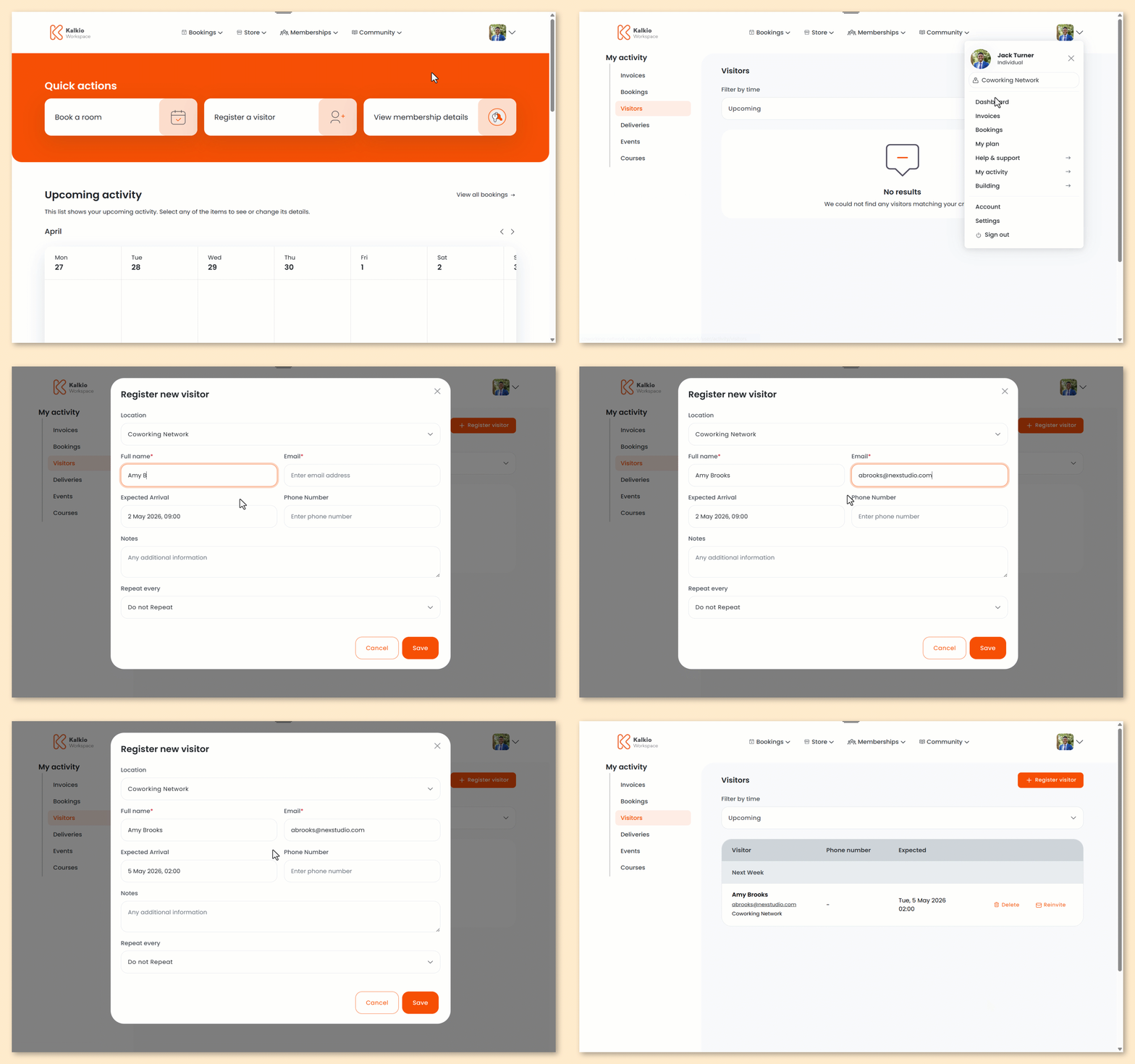
- Log in to the Members Portal if you haven't already.
- Open the drop-down menu next to your profile.
- Select My Activity.
- Select Visitors.
- Click Register visitor.
- Select the Location where you'd like to register the visitor.
- Enter the visitor's Full name
- Enter the visitor's Email.
- Under Expected Arrival, enter the date and time the visitor will arrive.
- Enter the visitor's Phone Number.
- Enter any Notes you'd like to add.
- Select if you'd like to make this a Repeat visit.
- Click Save.
All set! The visitor will receive an email with the details of their visit.
You'll receive an email notification that a visitor has been registered. You can view a list of all visitors to your space on the Admin Panel under Operations > Visitors.
Reinviting Visitors
Customers can easily reinvite visitors without filling in all their details from scratch.
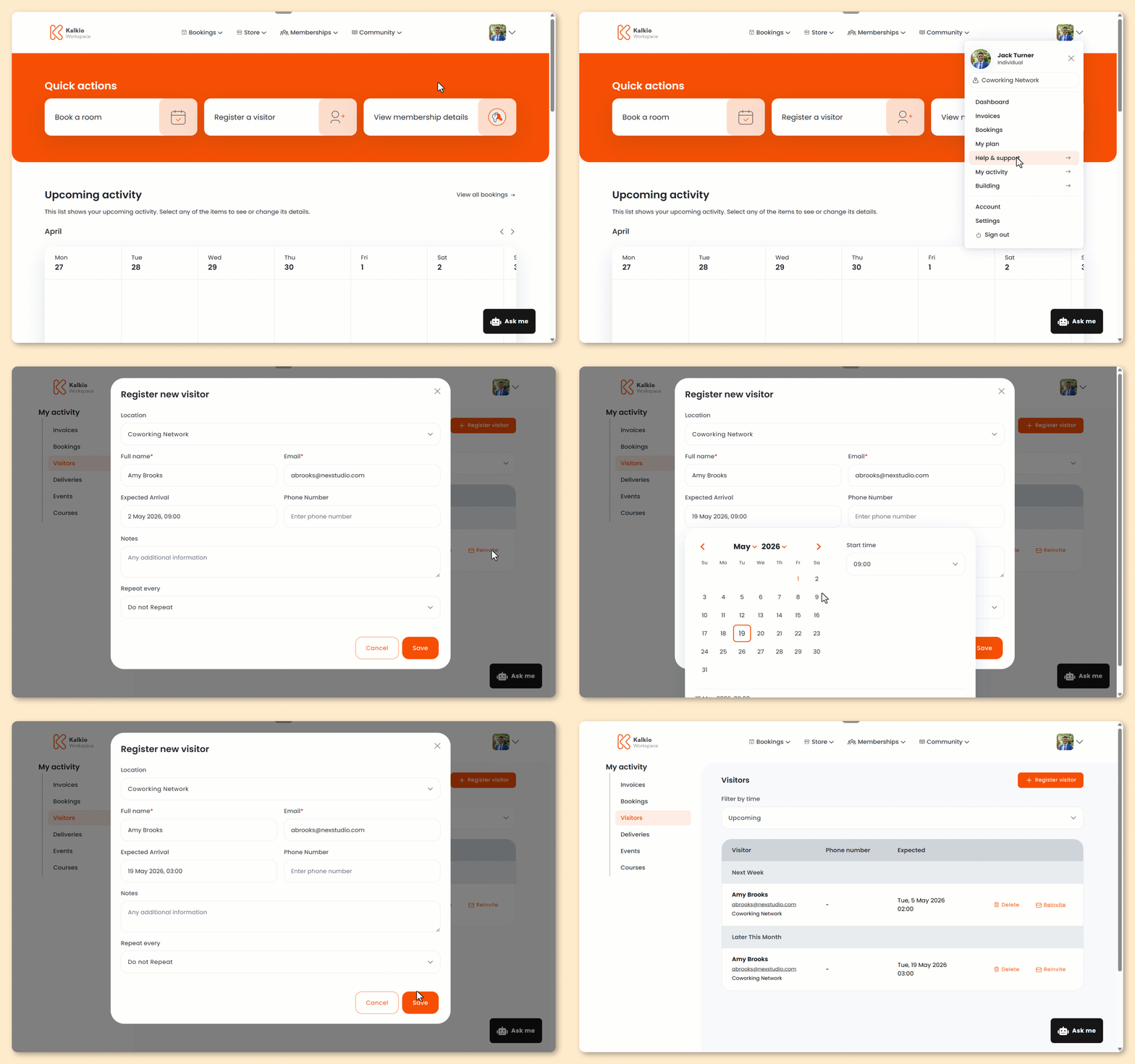
- Log in to the Members Portal if you haven't already.
- Open the drop-down menu next to your profile.
- Select My Activity.
- Select Visitors.
- Click Reinvite next to the visitor you'd like to reinvite.
- Edit their Expected Arrival time.
- Edit any other details as needed.
- Click Save.
All set! The visitor will receive an email with the details of their visit.
You'll receive an email notification that a visitor has been registered. You can view a list of all visitors to your space on the Admin Panel under Operations > Visitors.
Cancelling Visits
Customers can easily cancel visits if plans change and their visitor can no longer make the appointment.
- Log in to the Members Portal if you haven't already.
- Open the drop-down menu next to your profile.
- Select My Activity.
- Select Visitors.
- Click Delete next to the visit you'd like to cancel.
- Click Yes, delete visitor.
All set! Your visit has been cancelled. The visitor will receive a notification letting them know the visit has been cancelled.